lps
June 13, 2022, 7:45pm
1
Hardware: Old laptop or computer at homeYunoHost version: 4.3.6.3I have access to my server : Through the webadmin | direct access via keyboard / screenAre you in a special context, or did you perform some particular tweaking on your YunoHost instance ? : no
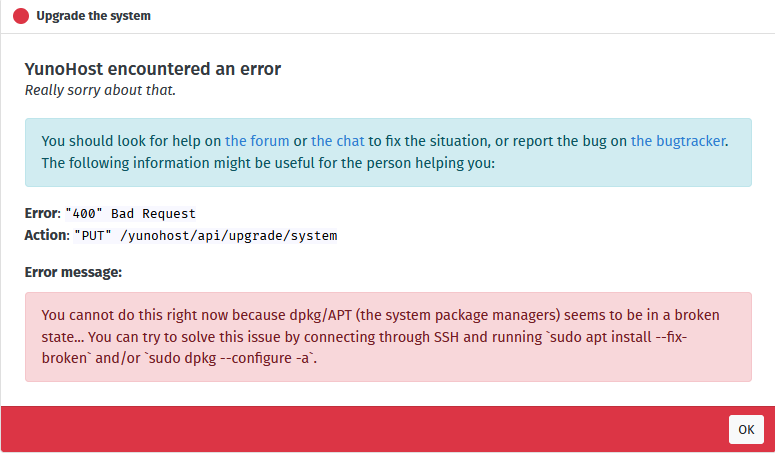
When attempting to install 2 different applications, bludit and Automad I received the error
You cannot do this right now because dpkg/APT (the system package managers) seems to be in a broken state… You can try to solve this issue by connecting through SSH and running sudo apt install --fix-broken and/or sudo dpkg --configure -a.
I tried to use these commands in terminal but received this error
Thank you in advance for any advice:)
lps
June 14, 2022, 1:23pm
2
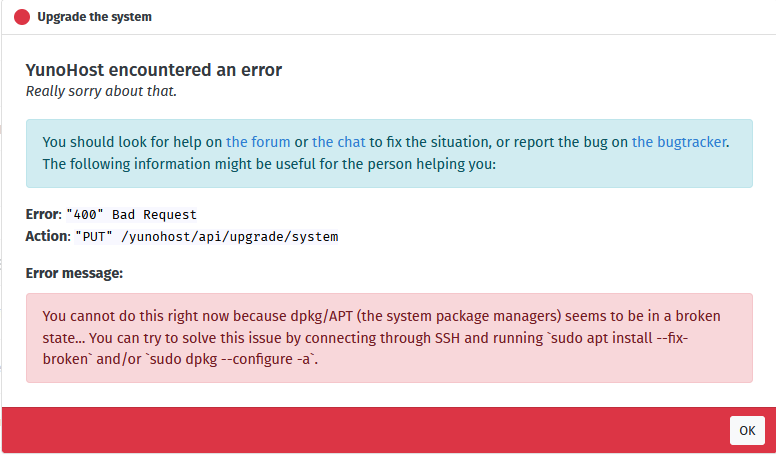
I just attempted to update some system files via System Update and received a similar error
lps
June 14, 2022, 1:41pm
3
I’ve attempted the command
sudo dpkg --force-all --configure -a
Unfortunately, this did not fix the issue, the same error persists:(
lps
June 14, 2022, 1:51pm
4
It seems there is also an encryption key error when connecting to the repository as well:
https://paste.yunohost.org/yeciyumere.pas
Aleks
June 14, 2022, 8:56pm
5
lps:
I’ve attempted the command
sudo dpkg --force-all --configure -a
Unfortunately, this did not fix the issue, the same error persists:(
Can you share the output of dpkg --audit ?
lps
June 16, 2022, 2:14am
6
Hi, thanks for the response:)
Here’s the output of that command:
https://paste.yunohost.org/fafekodixu.vbs
Aleks
June 16, 2022, 10:23am
7
Ah well, the issue regarding initramfs was in your initial post, sorry for not being attentive:
pigz: abort: write error on <stdout> (No space left on device)
Basically you probably ran out of space in /boot/ I’m guessing, which is a common issue when /boot/ is smaller than a few hundred MBs
Usually this can be solved by forcing to uninstall old kernels (usually this is easier when there’s more than 2~3 kernel versions intsalled)
Can you share the output of ls -l /boot/ ?
lps
June 16, 2022, 1:11pm
8
Thanks, np:) Here is the output of that command:
https://paste.yunohost.org/sojukacasu.hs
Aleks
June 16, 2022, 1:58pm
9
Alrighty I think we can check with uname -r which version of the kernel you’re currently using
Then assuming you’re not currently using 4.19.0-18 , we can probably try :
dpkg --remove linux-image-4.19.0-18-generic
?
lps
June 16, 2022, 3:08pm
10
okay, that give this result:
sudo uname -r
I’m not sure if it makes more sense to put the result in here in this case vs pastebin but just let me know if you prefer it the other way
thanks
Aleks
June 16, 2022, 3:10pm
11
Yes here is fine as it’s just a couple line, pastebin/yunopaste is preferred for very long outputs
Let’s proceed with dpkg --remove linux-image-4.19.0-18-generic
Mamie
June 16, 2022, 4:04pm
12
On my side, /boot is often full (on my personal computer) and I solve it with sudo apt autoremove
lps
June 16, 2022, 4:32pm
13
That’s odd it said it wasn’t installed, weird:
sudo dpkg --remove linux-image-4.19.0-18-generic
but it’s clearly there in the previous output
sudo ls -l /boot/
Aleks
June 16, 2022, 5:38pm
14
Hmyeah it’s maybe not that exact package name
Let’s check the output of dpkg --list | grep '4.19'
and dpkg --list | grep linux-image
lps
June 16, 2022, 7:08pm
15
the first didn’t return anything at all but the second returned this:
~$ sudo --list | grep ‘4.19’
Aleks
June 16, 2022, 7:57pm
16
Ah so the command is probably:
dpkg --remove linux-image-4.19.0-18-amd64
lps
June 16, 2022, 8:09pm
17
That worked, thanks:)
sudo dpkg --remove linux-image-4.19.0-18-amd64
Should I be trying a system update now via the web panel?
lps
June 18, 2022, 2:06pm
19
Unfortunately, same error
I’m going to run these commands again to give you the outputs
lps
June 18, 2022, 2:36pm
20