System package 'kernel' is currently in version '5.10.209-2

What type of hardware are you using: VPS bought online
What YunoHost version are you running: 12.1.40.1 (stable).
How are you able to access your server: The webadmin
Are you in a special context or did you perform specific tweaking on your YunoHost instance ?: No

Describe your issue

My Yunohost server continues to issue the following diagnostic warning:

System package ‘kernel’ is currently in version ‘5.10.209-2’, which is vulnerable to a MAJOR security issue: CVE-2026-31431, 31433, 43284 and 43500 a.k.a ‘Copy Fail’ and ‘Dirty Frag’ / CRITICAL Privilege escalations from any local user account. It is recommended to upgrade AS SOON AS POSSIBLE to version ‘6.1.170-3’. More infos: https://copy.fail/, GitHub - V4bel/dirtyfrag · GitHub , CVE-2026-31431 , CVE-2026-31433 , CVE-2026-43284 , CVE-2026-43500
uname -r shows that I run 5.10.0-28-amd64.
uname -v shows #1 SMP Debian 5.10.209-2 (2024-01-31)

[EDIT: I have installed the latest available updates]

I don’t know how is this possible. I have a couple of other servers that run Yunohost 12.1.40.1 (stable), but they now have 6.1.0-48-amd64 and #1 SMP PREEMPT_DYNAMIC Debian 6.1.172-1 (2026-05-15) x86_64 GNU/Linux.

What should I do to get out of this situation and upgrade to the kernel version with the recommended security fixes?

Share relevant logs or error messages

System package ‘kernel’ is currently in version ‘5.10.209-2’, which is vulnerable to a MAJOR security issue: CVE-2026-31431, 31433, 43284 and 43500 a.k.a ‘Copy Fail’ and ‘Dirty Frag’ / CRITICAL Privilege escalations from any local user account. It is recommended to upgrade AS SOON AS POSSIBLE to version ‘6.1.170-3’. More infos: https://copy.fail/, GitHub - V4bel/dirtyfrag · GitHub , CVE-2026-31431 , CVE-2026-31433 , CVE-2026-43284 , CVE-2026-43500

Hi @elgee

First things first, did you reboot your system after kernel upgrade ?
There is no other way to activate a new kernel than to reboot in yunohost, there is no hot swapping of kernel.

Since your other yunohost are up to date i guess you did reboot them, this is a forum so other people might be interested by this.

For uname command, prefer the full one which is uname -a to get all informations.

It can be that one specific version of kernel is ‘pinned’ to not be upgrade, it really depends how the initial debian system was configured and tweaked.

Can you provide a yunopaste of your upgrade logs ? those are the coorect way to get valuable help from forum users.

1 Like

Thank you @artlog ,

Yes I did reboot the server assuming it did the upgrade. I pasted the log here : https://paste.yunohost.org/raw/ekugilejik

The output for uname -a is :

Linux mydomain.com 5.10.0-28-amd64 #1 SMP Debian 5.10.209-2 (2024-01-31) x86_64 GNU/Linux

The upgrade you’ve done is the yunohost package that you’ve upgraded, not the system kernel.

What are the system upgrade elements available in the entry updates of your yunohost server, after having updated the list of updates available ?

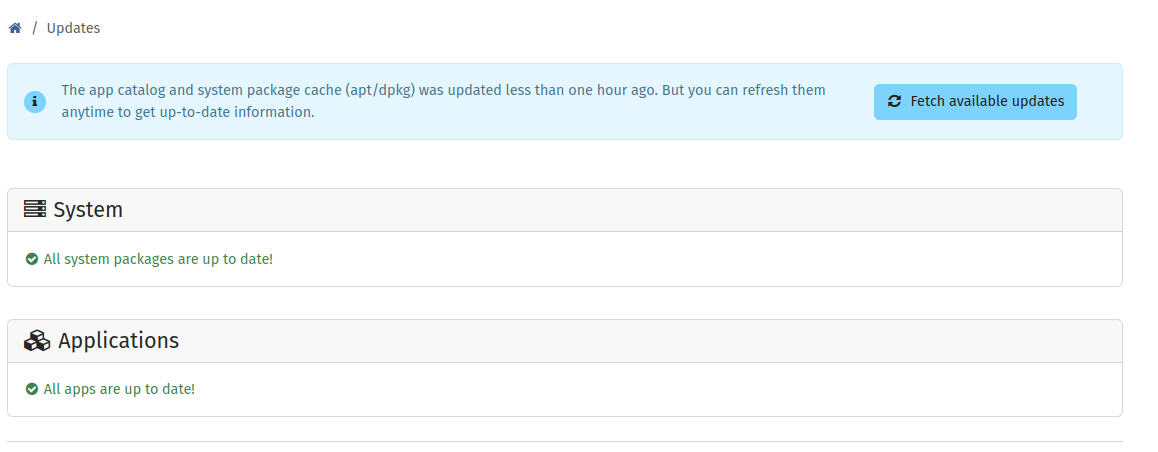
There are no updates/upgrades available at the moment.

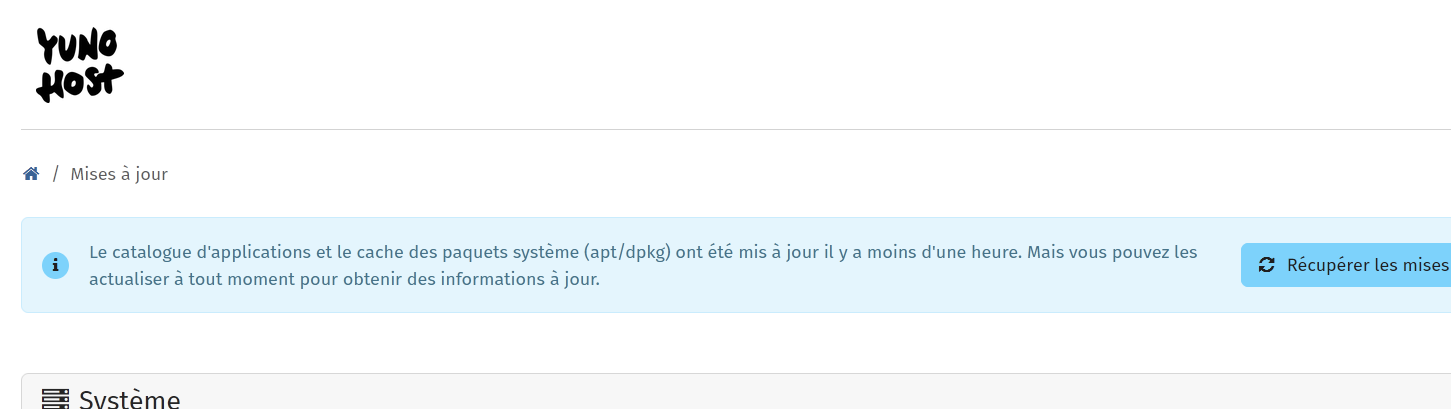
there is no blue button on the top of the section update ?
Like the one on the picture below, which starts with “Récupérer les …”

I fetched updates using that button. This is what I am getting:

Did you make the installation of Yunohost by yourself, or you bought the VPS with Yunohost installed on it ?

I installed it myself few years ago. The server in question is the oldest Yunohost server I am running. It started with YunoHost 11.x, and later upgraded to YunoHost 12 when it became available.

could you try the command line :

sudo apt update

Have you ever seen an error about Yarn keys ? If so, have a look at : Yarn and Sury APT keys issues

I ran sudo apt update. All packages are up to date. There were no kernel-related updates or any other update available

I fixed the Yarn keys issue few months ago. I don’t get the Yarn key error anymore.

@elgee

what debian version is it using ?

cat /etc/debian_version

and apt package sources ?

cat /etc/apt/sources.list

cat /etc/debian_version : 12.14

cat /etc/apt/sources.list :

deb bookworm main contrib non-free non-free-firmware

deb bookworm-security main non-free non-free-firmware contrib

@elgee what does

sudo apt dist-upgrade

sudo apt dist-upgrade
Reading package lists… Done
Building dependency tree… Done
Reading state information… Done
Calculating upgrade… Done
0 upgraded, 0 newly installed, 0 to remove and 0 not upgraded.

@elgee

it seems discourse quoting is losing some crucial part here or your configure is … wrong, at least there should a url of debian repository

deb http://deb.debian.org/debian bookworm main contrib non-free non-free-firmware

Your kernel version really looks like a debian 11.11 bullseyes and not a 12 bookworm one. i guess something went wrong in release upgrade …

These are the lines I see in the terminal:

image

and what does show this

dpkg -l | grep linux-image

If that is the case, this issue must be a lot older than I thought! What can be done to fix this, if it is fixable at all at this stage?

yes it is fixable, this is debian :wink:

what does show

apt-mark showhold