What type of hardware are you using: Old laptop or computer
What YunoHost version are you running: 12.1.36
How are you able to access your server: The webadmin
SSH
Are you in a special context or did you perform specific tweaking on your YunoHost instance ?: no, vanilla install
Describe your issue
I’ve created a new subdomain (classical domain). The GUI is stuck on Signing certificate... since more than 20 hours.
If a close and re-open the GUI, the windows for the domain creation popup again.
I’m afraid the pacman will get tired after running from left to right all that time! 
How do I kill the yunohost domain creation action?
I can acces the CLI.
Share relevant logs or error messages
Stuck on this
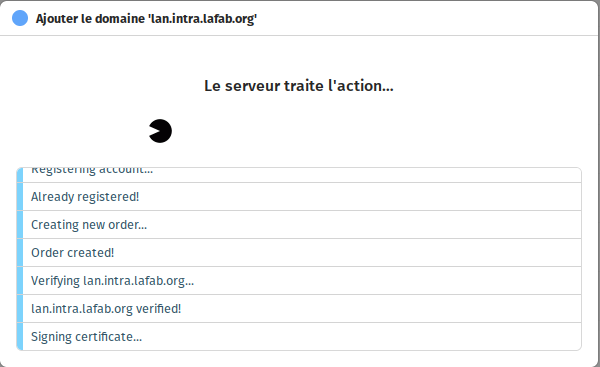
Le certificat auto-signé est maintenant installé pour le domaine ‘``lan.intra.lafab.org``’
[…]
Order created!
Verifying ``lan.intra.lafab.org``…
lan.intra.lafab.org`` verified!
Signing certificate…

 nuclear
 no effect, the pacman is still running. Poor creature, it’s been 24 hours now…
 Yeah
Yeah 
