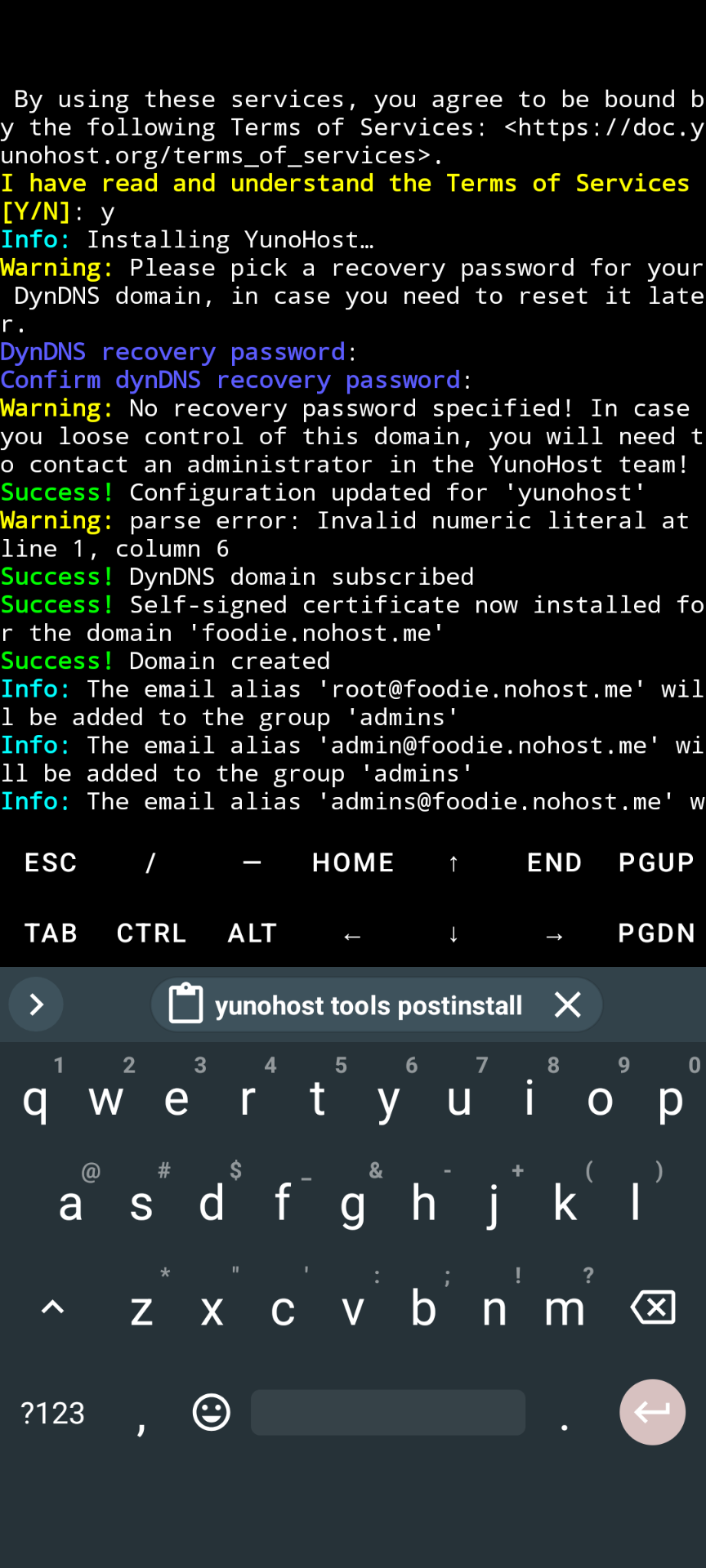
What type of hardware are you using: VPS bought online What YunoHost version are you running: 12.1.36 How are you able to access your server: SSH Are you in a special context or did you perform specific tweaking on your YunoHost instance ?: No
Describe your issue
Hi friends,
I am using a VPS and installing Yunohost. I have installed it many times before and it always worked but now after installation I cannot ssh to my VPS anymore. When I am asked for the authentification password it always gets rejected, with both the admin user and root.
I tried to keep a terminal open as root on the VPS after the installation to view the ssh logs: they says password identification failed aswell when I try to ssh to the VPS from another terminal.
I tried different VPS instances but only one version on Yunohost. I tried both options of ssh managed by yunohost during the installation. Same result.
However I CAN log in with the admin user to the installed yunohost instance in the browser with the IP of the VPS.
Hello,
Have you been through the initial configuration step (via the WebUI or the CLI) and defined an admin password?
After the initial configuration step, the behavior you describe is meant to be this way ( `root` is a default account which is more likely to be subject to bruteforcing), as documented there: Get access back into YunoHost | Yunohost
Now if you have set up an admin password, you should be able to log in using the admin user’s account, except if you tried several times with root account just before - which might have got your IP banned for a short while… Try again later only with admin user account (if you really need to access root account, log to the admin user account and then run sudo -i).
I did set the admin user password. But the password authentication gets rejected after the installation. I do the installation through the CLI.
I have installed yunohost this way at least a dozen of times in the past and never had any problems. I tried installing at least 5 times yesterday on a fresh VPS Debian 12. Everytime I totally nuked the VPS to eliminate any edge cases.
When I connect to the graphics interface in my webbrowser the same password for admin gets accepted. When I connect through ssh from a terminal it gets rejected. Same admin user, same password. How strange!
Hmm… Not sure whether it could play a role here, but is it your usual VPS provider or a new one ?
Do you install YNH from the VPS console (i.e. IP of the VPS) ?
Would your VPS provider include a firewall at the VM level configured in such way that it would block you?
Would you like to do a new test using another password as simple as possible (just in case it could be a bug with some badly supported characters).
Also you should be able to insert the logs in a code block (instead of linking to them if you are not allowed to so far).
FYI I did install YNH on a fresh Debian 12 VPS yesterday as well and it worked as expected, however my case was a bit different as I wanted to restore a backup, i.e.:
Install YNH via CLI
Skip configuration (at this point I still had a living SSH connection to the root user, but I was also able to open a new one using scp to upload my backup).
Run yunohost backup restore [...]
Once restored, I was able to log to my old admin account with my old password.
Yes I perform the install from my phone running termux. I ssh as root to the VPS. I don’t have a laptop to try at the moment but have been doing it this way for months/years without issue.
I checked AllowGroups and groups phil and it is all good.
I would create via webadmin two users for testing.
With the first one (testuser1 or whatever you want), I would check wether I can connect as phil on the server side :
su - testuser1
Then, try to switch to phil user with pwd su - phil
=> failed password or not ?
2. Via webadmin, I would set admins permissions to testuser2 and would try to connect via ssh as this user.
=> failed password or not ?
Start loggiung for nslcd with journalctl -u nslcd -f, then try to login as phil via ssh. What does nslcd log return ?
If there’s a timeout, it might also be related to available resources (RAM, CPU)

 no win
 ). Same issue.