Solved - SSH working but domain not available

What type of hardware are you using: Other(?)
What YunoHost version are you running: 2.1.40.1 (stable)
How are you able to access your server: Direct access via physical keyboard/screen
Are you in a special context or did you perform specific tweaking on your YunoHost instance ?: no

Describe your issue

Yesterday I noticed I could not use ssh anymore to connect to my server, and that the server was not reachable through the web. The web admin is accessible through a local address. eno1 only gives a local ip. I can’t find have to solve this so if anyone has ideas please help. I can give additional info. When running diagnose I see no (new) relevant errors.

I see resolvconf -l lists 192.168.178.1 as nameserver for eno1 (but I do not know if this has to do with it).

Share relevant logs or error messages

https://paste.yunohost.org/raw/ebiwukulag

Update: SSH works when login in to local ip, not on the domain name

On my local machine:

curl -Iv https://tjarm.nl

  • Host tjarm.nl:443 was resolved.
  • IPv6: (none)
  • IPv4: 77.174.73.72
  • Trying 77.174.73.72:443…
  • connect to 77.174.73.72 port 443 from 192.168.178.153 port 35848 failed: Verbinding is geweigerd
  • Failed to connect to tjarm.nl port 443 after 5 ms: Could not connect to server
  • closing connection #0
    curl: (7) Failed to connect to tjarm.nl port 443 after 5 ms: Could not connect to server

When I do the same on the server, ssh connected on local ip all seems to work.

I’ve noticed 2 important things in the yunopaste :

[WARNING] There’s been a suspiciously high number of authentication failures recently. You may want to make sure that fail2ban is running and is correctly configured, or use a custom port for SSH as explained in https://doc.yunohost.org/security.

and

[ERROR] Your IP or domain xx:xx:xx:xx:xx:xx is blocklisted on Spamhaus ZEN

If you have failed to connect on the domain name, fail2ban will ban your address (the ip address of your internet provider).

Also check your DNS with the reverse DNS that doesn’t work for your domain name.

1 Like

Can you run

sudo fail2ban-client status nginx-http-auth
sudo fail2ban-client status yunohost
sudo fail2ban-client status yunohost-portal

And if you need to unban an ip : sudo fail2ban-client set <jail> unban <ip>

I ran those but nothing is banned.

Thanks for your reply. The reverse DNS and the spamhaus message were there since install, the current problem is new.

Any changes or updates to the box recently?

Hardware is the same, though I had a crash because my SSD was full. I removed the app, disk space is no issue.

I meant, a router update?

No change there, nor in domain record setup.

Try to change the ssh port and open the newly defined port in your router then try to connect on that port

Not sure the problem is ssh since it works on the 192.168.. connection. Yunohost running like a charm on that ip also. But the domain is not resolved or something so no connection from outside.
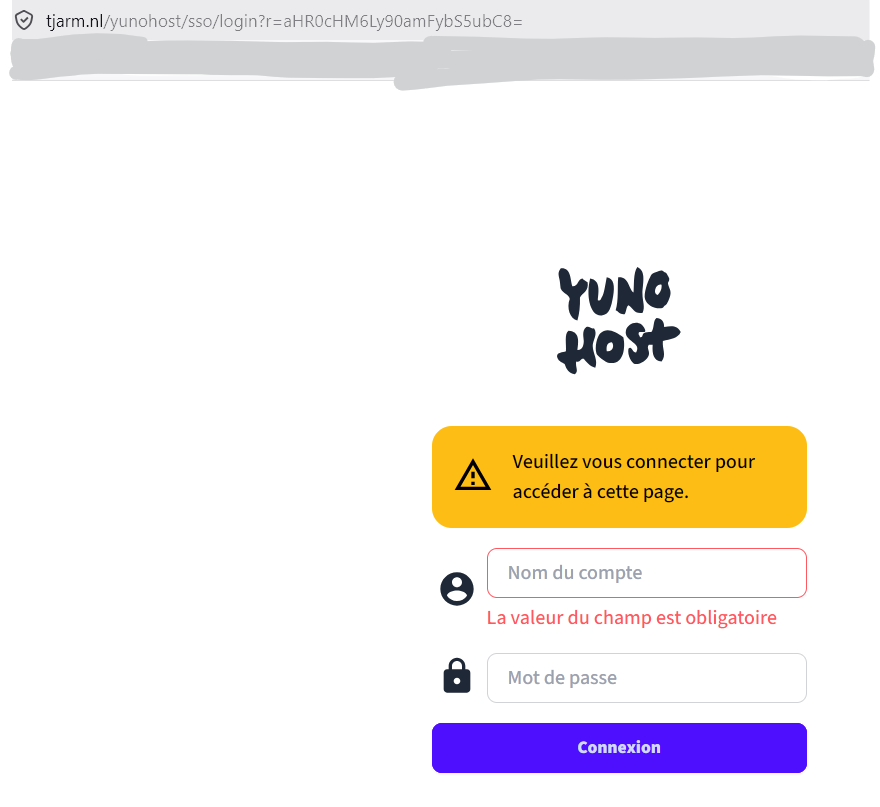
…strangest thing is that it looks like a NAT hairpin issue.
Any local DNS, Adguard, pihole?
Did you try with different browsers?

3 Likes

May be rebooting the router can help

1 Like

Will try that later. Thanks everybody for the suggestions!

I just clicked on the name of your domain and arrived to your Yunohost login page.

And ssh is also working.

1 Like

Thanks for that. I checked with my phone. Now I know it is a ‘local’ problem. Thank you all.

So, I guess that this dumb advice may work though : “Have you tried turning your computer off and on again ?”

It Crowd Meme GIFs  Tenor

Rule 1 of the help desk :smiley: I earlier had rebooted the server and now switched it off and on again… Also the router, but it still does not work.