Registrer OVH et endpoint API?

What type of hardware are you using: Old laptop or computer
What YunoHost version are you running: 12.1.40.1
How are you able to access your server: The webadmin
SSH
Direct access via physical keyboard/screen

Describe your issue

:united_kingdom:
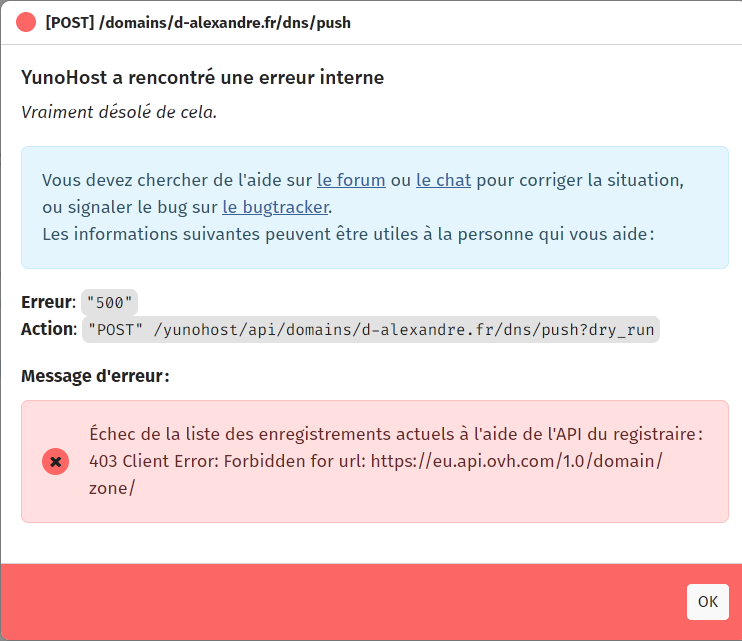
While opening domain, choosing the domain I’ve got registered through OVH, and then DNS, I got an error 500, which seems to be more an error 403.
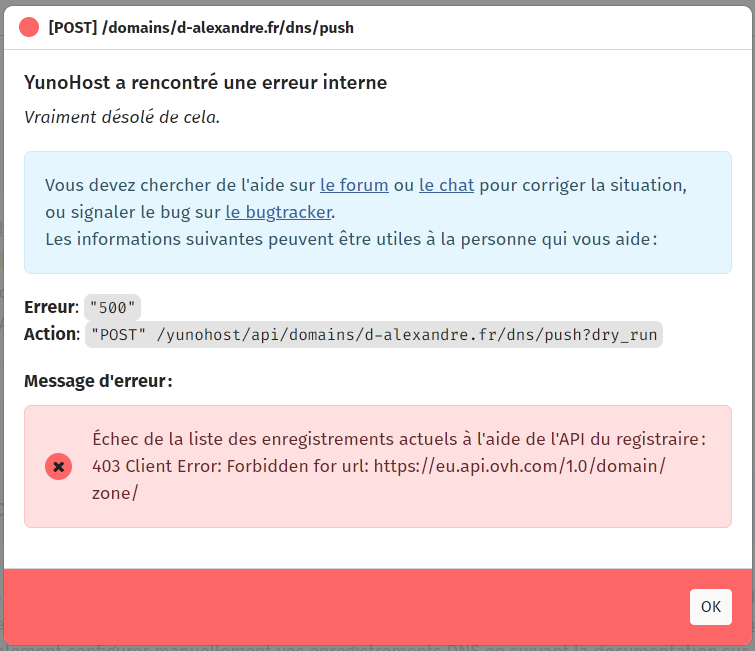
So I’ve searched some explaination on OVH side, and opened a support ticket (no answer yet). I’ve navigate to the european api endpoint (eu.api.ovh.com), and I’m redirected to this url https://api.eu.ovhcloud.com

So I’m wondering if the OVH registrar api endpoint should not be updated to the new address ?
I could see that the endpoint is in the lexicon, and tried to update it (ovh.py).
No restart, no context to update the python file, but no change in the webadmin.
Is there a way to make the update to work ?

:france:
J’ai enregistré mon domaine chez OVH et j’ai créé mon token d’accès en suivant le lien fourni sur la doc.
les informations du token sont bien enregistrées dans mon interface d’admin.

Par contre, quand j’ouvre la page Domaines, que je choisi mon domaine chez OCH, et que je vais dans l’onglet DNS, j’ai l’erreur 500 (illustrée au dessus), qui est plus une erreur 403.
J’ai ouvert un ticket chez OVH pour remonter cette erreur (et demander où suivre les tokens et les gérer), mais je n’ai pas encore eu de réponse.
En continuant à chercher, j’ai ouvert l’URL de l’API eu.api.ovh.com et je suis arrivé sur la page https://api.eu.ovhcloud.com qui semble être la nouvelle forme de l’URL de l’API.
Donc je me demande si l’adresse du endpoint ne doit pas être mise à jour ?

Aussi, j’ai cherché où cette adresse était définie et j’ai pu voir qu’elle l’était dans le lexicon, dans le fichier ovh.py . J’ai donc été modifier le contenu du fichier, et je n’ai ensuite pas rechargé l’interface d’admin, ou un quelconque contexte python, mais la nouvelle url n’est pas prise en compte.
Existe t’il un moyen de prendre en compte ce changement dans le fichier python ?

Donc je cherche une solution et

Share relevant logs or error messages

no log
1 Like

Did you configure the api correctly?

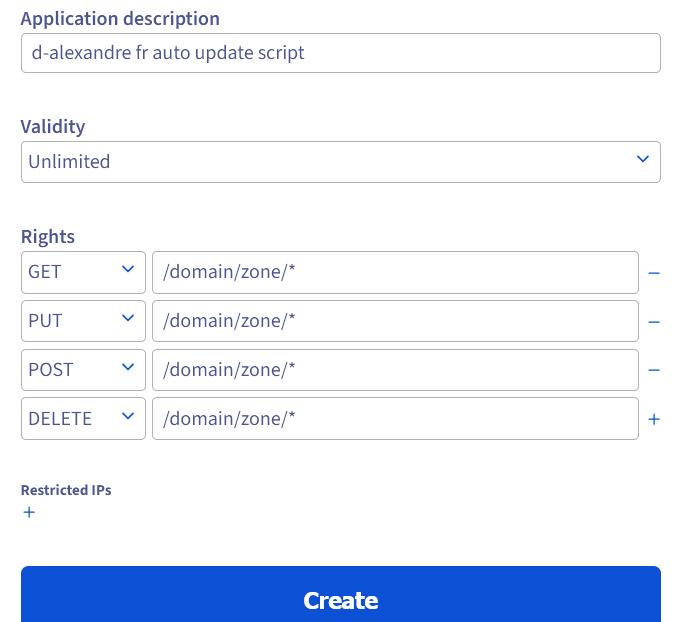
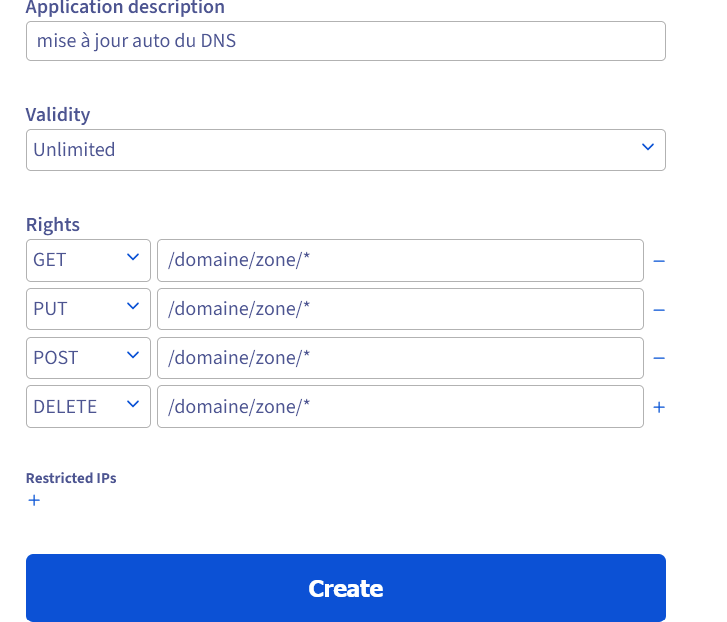
I have 4 domains from ovh with autodns correctly pushing. I got the 403 error at first because I didn’t define all the “rights” described in the guide

Yes, I did the same thing as the tutorial said.
I even have tried to set up a new token, with the same details, but OVH return me an error that this token already exist…

by the way, the endpoint to request a token has changed : Control panel - OVHcloud

with some new elements, as the name of the application, I got new credentials, but the same result :

It’s “/domain/zone/*” not domaine

the same, with no error :

I made a huge mistake will typing … So sorry, and thank you for noticing my mistake.

I am getting the same 500 error, but I followed the instructions to a T – I even copy-pasted the /domain/zone/* just in case.

I made a change to my setup : I’ve set my OVH domain as the main domain. Not sure it could have an impact.

Did your OVH domain is your main domain (with a little star next to it, in the webadmin Domain view) ?
Did you tried to setup a new token ? (you could register your actual credentials into a notepad before setting the new parameters)

I tried for the main domain and a different one.

At some point it actually pushed, but still showed an error (a different one, but I did not take a screenshot, because this here is just a nice to have while I’m trying to bring my server back to life) :person_shrugging:

Please do a screenshot.
you just have to go to Domains, choose the OVH domain, and then click on DNS.

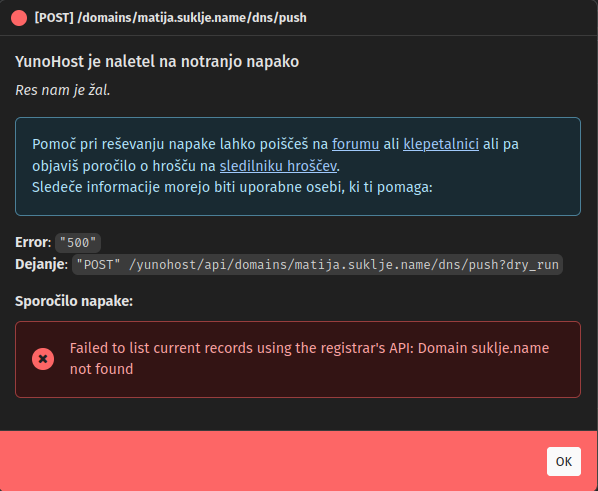
This is the error for matija.suklje.name domain – it may actually be an issue here because .name domains are a rare breed where you can (and originally could only) register a 3LD.

My main domain wheremymonkeyis.at seems to be working fine now though.

I am waiting for a few other domains to finish transferring to OVH, then I can try those too, if needed.

I think you’re right, as the error shown : the API is looking for the domain suklje.name instead of matija.suklje.name

You should use the base domain (add it to yunohost and configure it) so that subdomains will be handled unless you need the base domain to be configured out of yunohost for any reason

Structure Originally registrations had to be at third level, in form john.smith.name, but later direct second-level registrations were allowed

… I registered early and therefore cannot use suklje.name as a base name, it does not exist. Trust me, I’ve been living with this pain for a quarter of a century now :face_exhaling: :person_facepalming:

Anyway, that’s an outlier of a domain name. No need to try to make exceptions for it, I’ll test it with other (normal) domains when they finally transfer over.

OK, now that I got some more domains over, I can confirm that it works on more normal domain names – even those with non-ASCII characters.

1 Like

This topic was automatically closed 30 days after the last reply. New replies are no longer allowed.