What app is this about, and its version: GoToSocial, 0.22.0~ynh1 What YunoHost version are you running: 12.1.40.1 What type of hardware are you using: VPS bought online
Describe your issue
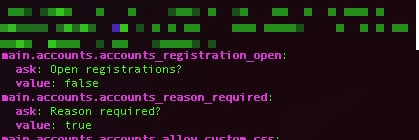
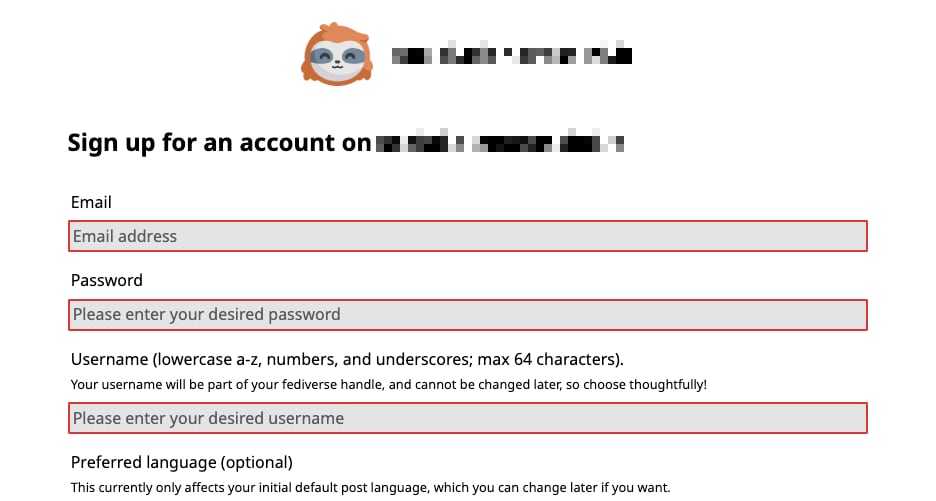
I noticed by accident that even if the default state of “Open Applications?” in GoToSocial is set to false, once I install it, it switches to “True” (even if it diplays “false” in the Config panel). The sign-up page on my new instance works - people can apply for an account!
When I re-apply “false” in the config panel and hit “save” I get an error message.
So I followed your instructions and used Terminal to manually edit the gotosocial config. Problem is: open registrations is already set to false; and yet the URL mydomain dotcom /signups is an active signup page:
I have another GoToSocial account that I set up a year and a half ago… registrations are close and the page /signup correctly displays a message that goes “This instance is not currently open to new sign-ups.”
Hmmmmmmmmmm this is strange. The path I gave you is for the first GoToSocial instance that’s running on the machine, is that the one that gives you trouble?
I just installed GoToSocial 0.22.0 and indeed, initially registrations were open. Once I disabled them via the config (had to change true to false) and restarting the service the problem went away.
To sum up: I gave you a path for a config file, is it the one related to the instance you’re having problems with? Second instance lives under /var/www/gotosocial__2
actually I just exchanged messages with GoToSocial’s dev tobi on Matrix (the GtS Help channel) and they said it could very well be a GtS bug. They will be checking today…
my settings have had “open registrations?” set to false since the very beginning… even when I check the yalm file and yet on my instance’s “about” page it says registrations are “open” - so tobi is checking if it’s a bug with GtS
Can you confirm so we have that one out of the gate - in WebAdmin next to GoToSocial it says gotosocial and not i.e. gotosocial__2, hence confirming that the app indeed lives under /var/www/gotosocial and runs off the config stored under /var/www/gotosocial/config.yaml, right? Just to triple check so that we’re not chasing ghosts
yes I can totally confirm it’s the right installation. my main GtS account is on a different VPS. and I triple-checked the yalm file again and it is indeed referring to this installation