Hi @jedie,
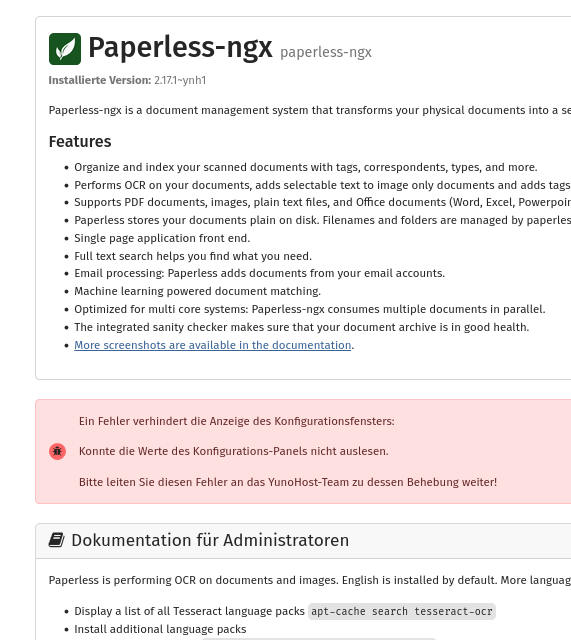
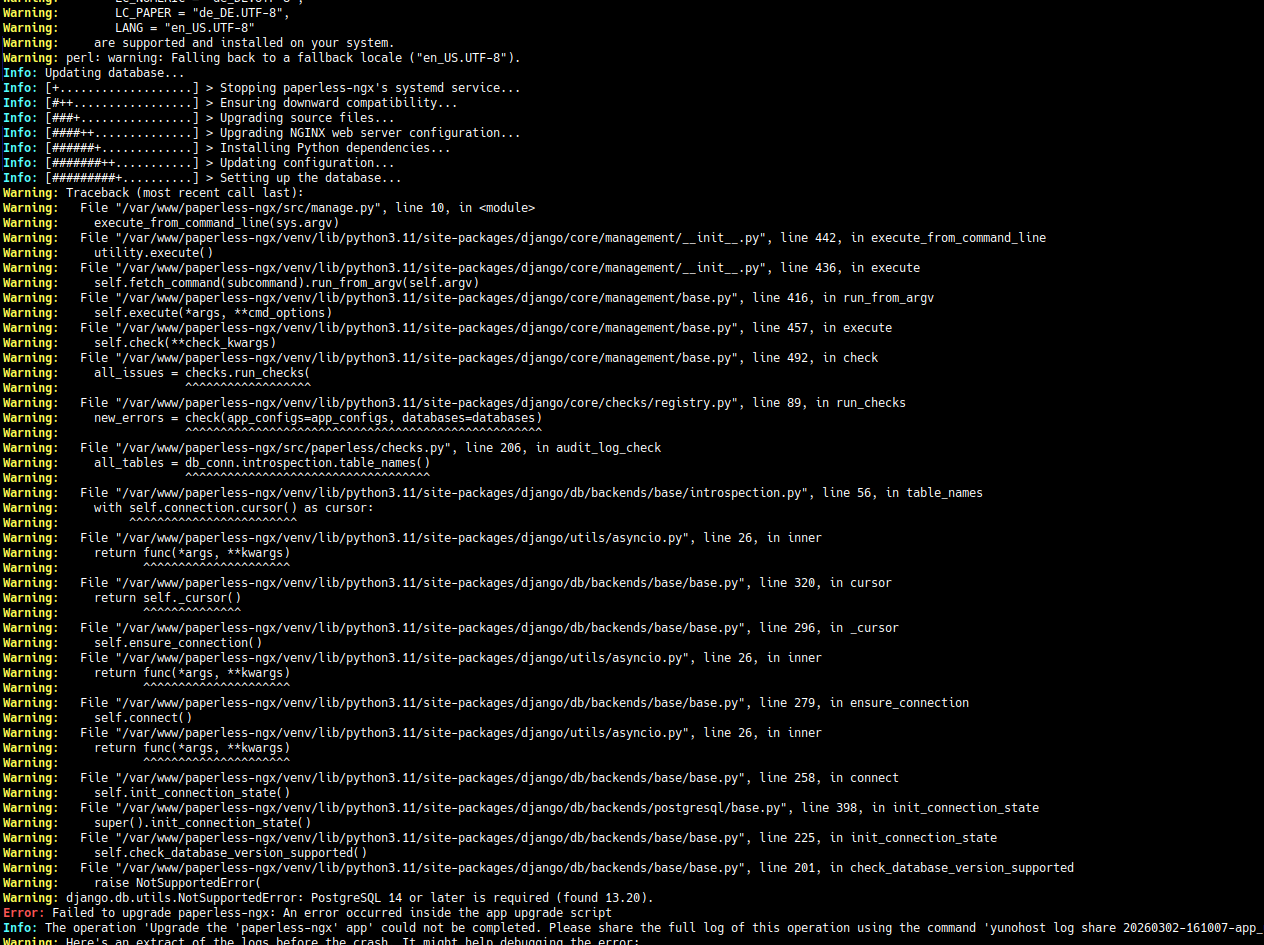
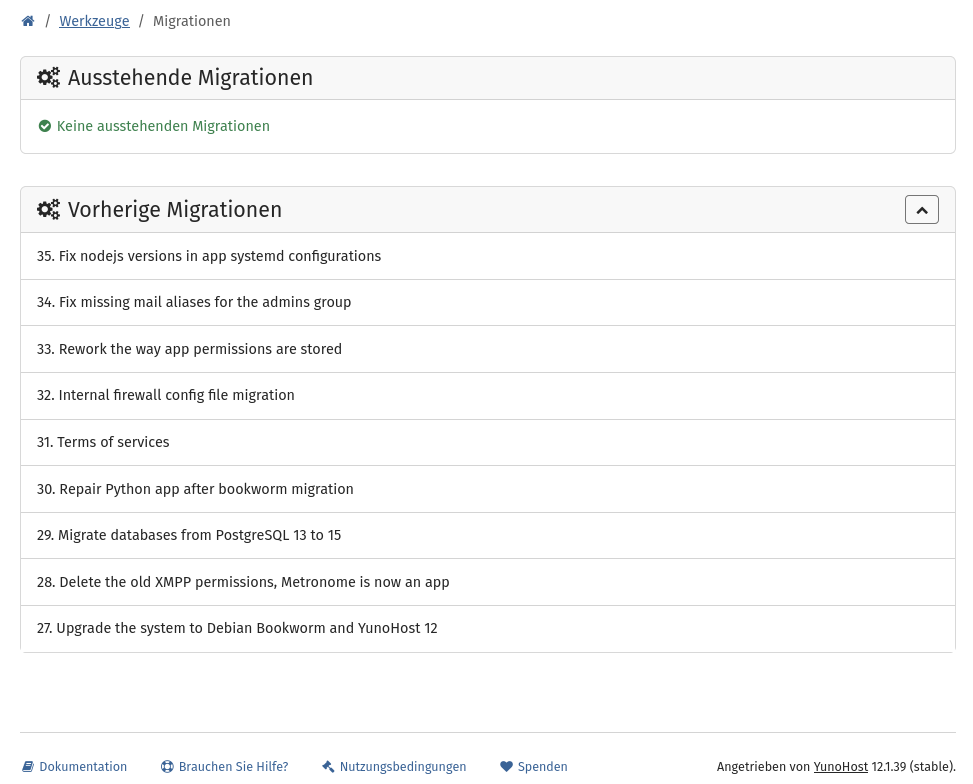
This is exactly the same issue I described in the other topic. Your PostgreSQL migration from 13 to 15 didn’t complete properly → the old cluster (v13) is still listening on port 5432 (the default), so all your apps connect to it instead of the newer v15 cluster. That’s why Django complains about “PostgreSQL 14 or later is required (found 13.20)”.
Here’s how to fix it. All commands assume you’re working as root.
Step 0 → Get a clear picture of your clusters:
pg_lsclusters
This will show you all running clusters with their version, port, and status. You likely have something like:
- v13 on port 5432 (the problematic one → apps connect here by default)
- v15 on port 5433 (the one that should be used)
- v16 on port 5434 (likely used by Immich, with pgvector → don’t touch this one)
Note down the exact ports before proceeding.
Step 1 → Check which databases exist on each cluster:
# Databases on the v13 cluster (likely port 5432)
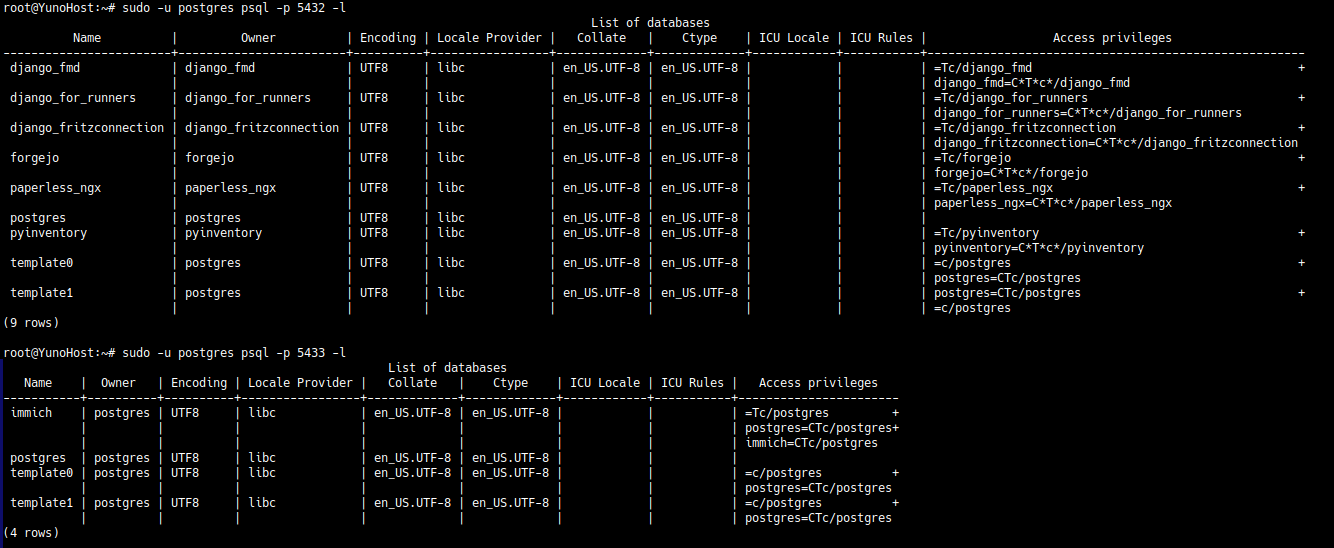
sudo -u postgres psql -p 5432 -l

# Databases on the v15 cluster (likely port 5433)
sudo -u postgres psql -p 5433 -l
→ Compare both lists. If all your app databases (paperless-ngx, and any other) are already present on the v15 cluster, skip to Step 2. If some databases only exist on v13 and are missing from v15, you need to migrate them manually first → see Step 1.1 below.
Step 1.1 → Manually migrate a database from v13 to v15 (only if needed):
For each database that exists on v13 but is missing from v15, follow this procedure. Replace <dbname> and <dbuser> with the actual values.
First, identify the database owner on v13:
sudo -u postgres psql -p 5432 -c "\l" | grep <dbname>
Find the app’s database password in its YunoHost settings:
cat /etc/yunohost/apps/<appname>/settings.yml | grep db_pwd
Dump the database from the v13 cluster:
sudo -u postgres pg_dump -p 5432 <dbname> > /tmp/<dbname>.sql
Make sure the role (user) exists on the v15 cluster:
sudo -u postgres psql -p 5433 -c "\du" | grep <dbuser>
If the role doesn’t exist, create it (use the password from the settings above):
sudo -u postgres psql -p 5433 -c "CREATE ROLE <dbuser> WITH LOGIN PASSWORD '<the_password>';"
Create the database on v15 and restore the dump:
sudo -u postgres psql -p 5433 -c "CREATE DATABASE <dbname> OWNER <dbuser>;"
sudo -u postgres psql -p 5433 <dbname> < /tmp/<dbname>.sql
Verify the data is there:
sudo -u postgres psql -p 5433 -c "\dt" <dbname>
Clean up:
rm /tmp/<dbname>.sql
Repeat for each missing database, then proceed to Step 2.
Step 2 → Check which apps use PostgreSQL:
grep -r "db_type\|psql\|postgres" /etc/yunohost/apps/*/settings.yml
This helps you know which apps will be affected by the port change.
Step 3 → Stop the old v13 cluster (safe first step → don’t delete it yet):
pg_ctlcluster 13 main stop
Step 4 → Reconfigure the v15 cluster to use port 5432:
systemctl stop postgresql@15-main
nano /etc/postgresql/15/main/postgresql.conf
# Change: port = 5433 → port = 5432
systemctl start postgresql@15-main
Step 5 → Verify:
pg_lsclusters
You should see:
- v15 on port 5432, status online
- v13 stopped/down
- v16 unchanged on its own port (if applicable)
At this point, you can test that your existing apps still work properly.
Step 6 → Once everything works, remove the old v13 cluster and packages:
pg_dropcluster 13 main
apt remove postgresql-13 postgresql-client-13
Step 7 → Upgrade paperless-ngx:
Since normal upgrades fail and roll back automatically, use the approach suggested by @orhtej2:
-
First, make a full backup:
yunohost backup create --apps paperless-ngx
-
Then upgrade without safety backup (so it won’t roll back on failure):
yunohost app upgrade paperless-ngx --no-safety-backup
-
If the psycopg-c issue still occurs after upgrade, apply the fix:
yunohost app shell paperless-ngx
pip uninstall psycopg-c
pip install -r /var/www/paperless-ngx/requirements.txt
Important note about PostgreSQL 16: You have postgresql-16-pgvector installed, which is very likely used by Immich (or a similar app). This cluster should be running on its own port (probably 5434) and should not be affected by the changes above. Just make sure you don’t touch it during this process. You can verify with pg_lsclusters which port v16 uses.
Good luck!