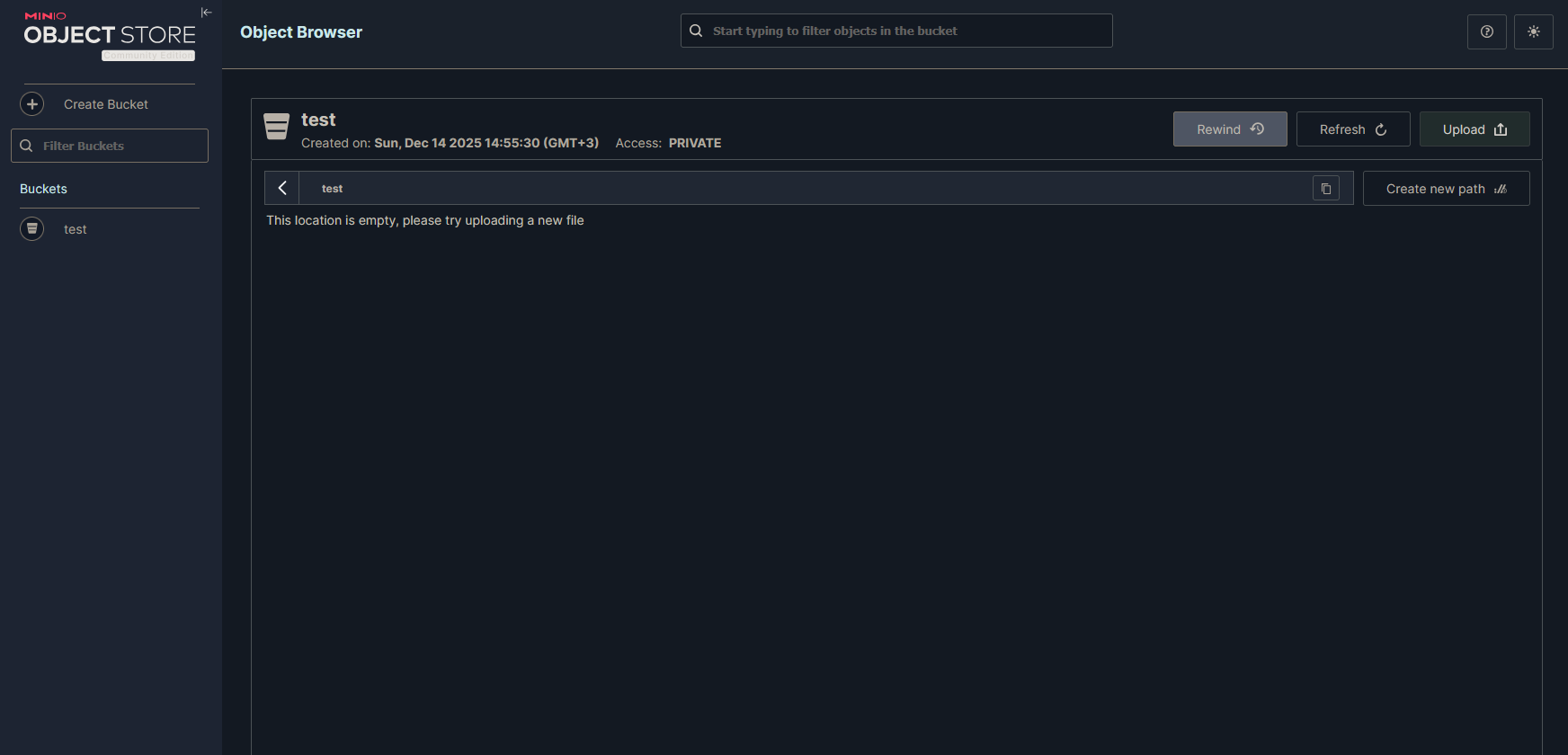
MinIO Community Edition – Admin Console features not visible (no Access Keys / Identity menu)

What app is this about, and its version: Minio LATEST
What YunoHost version are you running: 12.1.36 (stable)
What type of hardware are you using: VPS bought online

Describe your issue

To explain briefly: I cannot access admin features.
Hello everyone,

I am running MinIO Community Edition on a YunoHost server, and I am having an issue with the Admin Console.

I can access the MinIO Console at port 9001, and I am able to log in successfully, but none of the admin features are visible.
For example, I cannot see:

Identity / Users

Service Accounts (Access Keys)

Policies

Configuration

Any administrator-related menus

Because of this, I am unable to generate Access Key / Secret Key for API usage.

What I have already tried

Accessing the console via http://localhost:9001

Logging in using MINIO_ROOT_USER and MINIO_ROOT_PASSWORD

Ensuring the browser is enabled (MINIO_BROWSER=on)

Using a private/incognito browser window to avoid cache issues

Restarting the MinIO service multiple times

I am not using Docker. MinIO is running as a system service.

Current MinIO startup method

MinIO is started manually (or via system service) similar to:

minio server /data --console-address “:9001”

Environment variables are defined in an .env file, but I am not sure if YunoHost properly injects them into the MinIO process at runtime.

My questions

How can I verify that MinIO is actually running with root (admin) privileges?

Does MinIO read .env files automatically, or must the environment variables be exported by the system service?

If MinIO was first started without root credentials, is it necessary to delete the data directory and reinitialize the instance to enable admin features?

Is there a YunoHost-specific way to correctly pass MINIO_ROOT_USER and MINIO_ROOT_PASSWORD to MinIO?

Expected behavior

After logging in as the root user, I expect to see the full admin console, including:

Identity → Service Accounts (Access Keys)

Policies

Configuration

However, the console currently looks like a limited or non-admin view.

Any guidance or confirmation from users who have successfully run MinIO on YunoHost would be greatly appreciated.

Thank you in advance.

Share relevant logs or error messages

There are no error messages.
Hi,
can you share a screenshot?

un, 14 Dec 2025 12:19:17 +0000, MRsuffix via YunoHost Forum a écrit :

Are you sure Community edition still ships those features ? Seems to be some changes in their policies…

That’s it…
You can try to downgrade to previous version at your own risk. This previous version still includes admin features :

yunohost app upgrade minio -u https://github.com/YunoHost-Apps/minio_ynh/tree/f418d29f7255486ce06e3a38c9f8caad572fc922

I don’t know much about MinIO. I saw it online and tried to set up my own s3 server, but the admin options shown in the online video are not visible.

I don’t think it’s available in the free version. I guess I need to code a test project that acts like an S3 server.

There is something to be fixed in minio, I don’t know when it started, but I used to have admin menus in minio. I have updated minio the last six months without checking the web ui so it’s not clear when it started.

I’ll have a look at the package when I have some time (although I am planning to move to another solution, because they are setting the project to maintenance mode, so I won’t spend much time on it)

Thank you for informing me about this.

Is there anything that can be used as an alternative to MinIO?

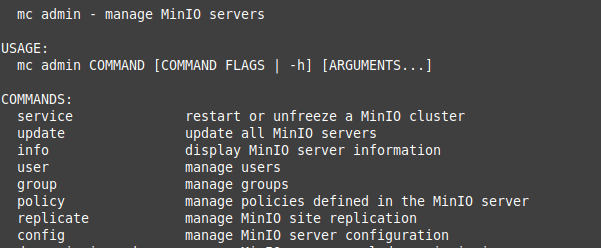
You can still use minIO CLI

./mc # folder /var/www/minio

./mc admin


etc.

Ah

Suppression définitive de l’interface d’administration graphique

Donc rien à faire côté package. C’est grillé upstream.

Garage est déjà dans le catalogue, d’autres alternatives seront étudiées.

@otm33 es-tu intéressé de te plonger dans un premier package ?

Oui, à quoi penses-tu ? J’ai baserow et saltcorn “sur le feu” (opérationnels mais encore en test) et claroline en cours (plus compliqué…) mais si je peux donner un coup de main sur un autre projet…

Ah, j’avais commencé à travailler dessus puis j’ai été pris par d’autres truc, en plus j’avais remarqué lors d’une installation en local que l’utilisateur saltcorn créé par l’install avait des autorisations pour des périphériques systèmes (que j’avais rapporté l’année dernière au dev, puis j’ai oublié de suivre le fil).

Pour les alternatives à minio, seaweedfs me semble assez facile à implémenter, de plus

https://framablog.org/2025/12/04/2500-framaspaces-pour-renforcer-les-structures-qui-changent-le-monde/

Je vais tester cela… L’as-tu déjà essayé ?

Non, pas encore, je vais essayer ce week-end

Bonsoir @jarod5001
J’ai commencé à dégrossir (et j’ai fini par en faire plus, c’est toujours pareil…). Bref, c’est quelque chose d’encore artisanal mais qui fonctionne (du moins a minima car je ne suis pas très familier de ce type d’application et de celle-ci en particulier).

De prime abord, oui: c’est déjà compilé… mais c’est plutôt dense côté paramétrage et laconique côté documentation. Il y a des choses qui me posent question et me gênent encore, notamment côté nginx. Je n’ai testé qu’avec nextcloud et ce dernier n’accepte apparemment pas les noms d’hôte S3 avec chemin donc il a fallu mettre l’api sur la racine mais je n’ai pas plus fouillé que ça ni côté seawweedfs ni côté nextcloud.
Tu me diras ce que tu en penses…

1 Like

Si tu as des souvenirs plus précis à ce sujet (il y a 645 issues sur le GH..), je suis preneur.

C’est un premier pas. En fait, tu devrais faire tes modifications sur la branche testing puis PR vers master ou main.

De ce que je me rappelle, elle a trois endpoints qui devrait être exposés par nginx.

Je termine mon fight avec homarr et je te rejoindrai sur le repo

1 Like

C’est ici [Documentation] [Wiki] Saltcorn uninstall · Issue #2823 · saltcorn/saltcorn · GitHub

Sans suite

1 Like