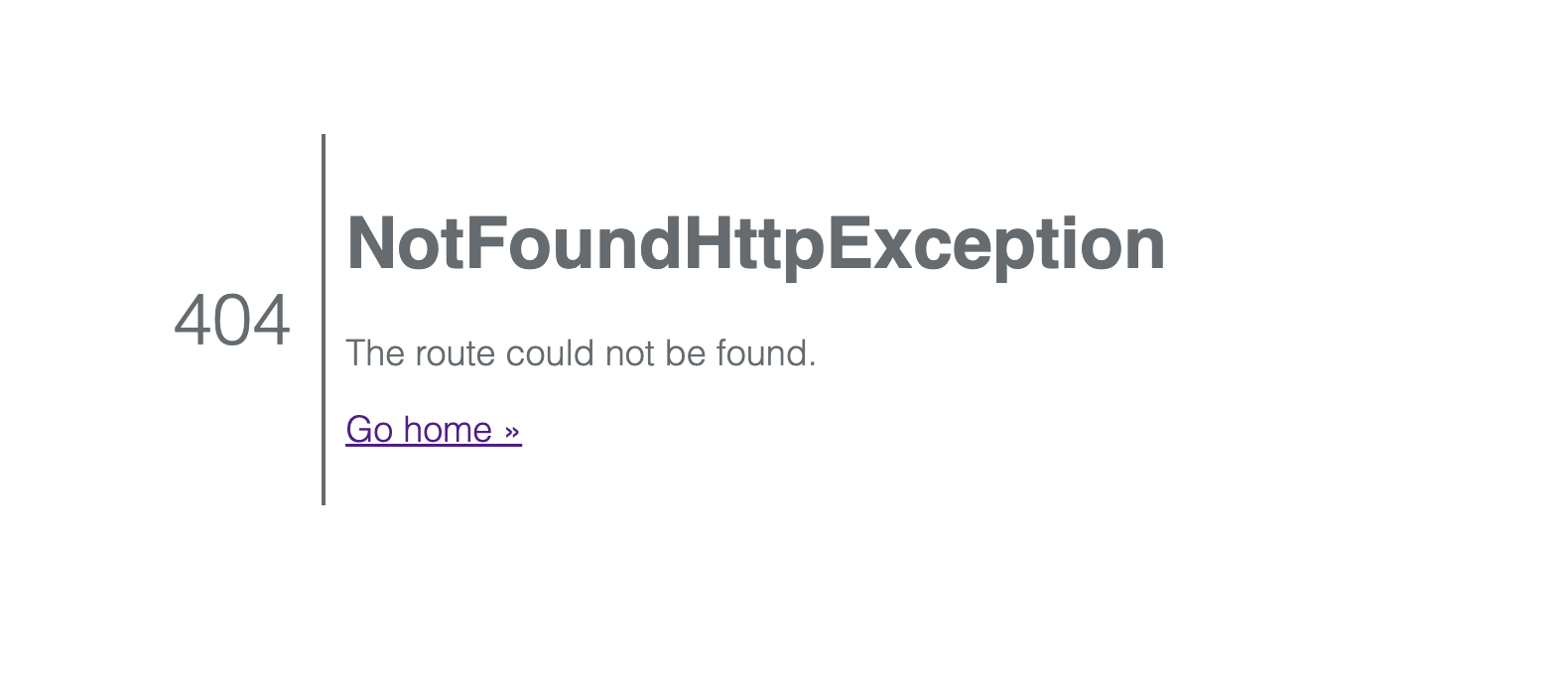
Lychee 404 after update to 7.6.0~ynh1

What app is this about, and its version: v7.6.0
What YunoHost version are you running: 12.1.40.1
What type of hardware are you using: Old laptop or computer

Describe your issue

Today I updated, through the YNH admin GUI, to version 7.6.0~ynh1.

Now, when I try to go to the Lychee instance, I get an exception 404. I restarted NGIX to see if the path would be recreated, but to no avail. I have rolled back to the previous version.

Any help with the update would of course be appreciated.

Kind regards

Dj

Share relevant logs or error messages

https://paste.yunohost.org/raw/igokezigis

try adding /login at the end of the path

@otm33 Thanks for your quick reply…

So this morning I did the upgrade again, went to the domain, etc that this app is for and got the 404.

Tried the domain name with /login at the end, and yes…I get the Lychee login page. Thank you very much.

The question is, of course, what do I need to do to get the upgraded version of Lychee to behave as it used to, ie just using the normal domain name to get to the gallery page? Hmmmm..

Many thanks for your help. I appreciate it

dj

I have faced this issue a while ago and thought I fixed it
Can you give us more details :

  • is it on a path
  • did you try to visit it on a different browser or delete browser cache
  • after you were able to login, did the error vanish
  • is your lychee private or public

There seems to be a bug in the latest release that only occurs when installing on a path : could you try moving this app to root for testing purpose ?

Hi @jarod5001

Yes, the app is in a PUBLIC path, https://derekjoneslighting.com/capture

I was able to log in with the admin credentials using:https://derekjoneslighting.com/capture/login

The error did not vanish.

I used three browsers with a cleared cache and history, same result.

I have restored the previous from backup, as it does get visitors.

As per @otm33 suggestion, I will move the instance to the root of a spare domain that I have to see if the issue persists.

I do have one question. How do I move the instance with its current domain to the root of a new domain? Deleting and restoring to the same place, I’m ok with, but if there is already a domain for the app, I’m a bit unsure about moving.

Kind regards

Dej

Via the webadmin: app page>operations>Move the app to a different URL

@otm33 great… I shall try that now

dj

@otm33 Sorry forgive me, yes of course I didn’t realise the move was done there…

Ok I did the update in the origonal place ( Derek Jones Lighting Design. Capture Visualisation Gallery ) to confirm that the error was still there. It was! I then moved the app and yes it works as a root app see: https://casper.nohost.me

So @jarod5001 the latest update will only allow a root install to a domain.

I’m going to restore back to the original later this morning. I will leave the latest version version of Lychee at the above address so you can see that it works

Thank you

Dj

The only thing that comes to mind is this commit that introduced path support in upstream but broke lychee package :

That I had to hack in a “temporary fix”
I just noticed that there is another commit to fix it upstream :

So may be removing that temporary fix can help.
I won’t be able to test it (I’m a little busy with work these weeks), so if you are able to test it on your instance, I would be grateful.
Here is the fix branch GitHub - YunoHost-Apps/lychee_ynh at fix · GitHub

Don’t forget to make a full backup of the app

@jarod5001 sure thing, no problem. I will of course back up my working Lychee and pull this version and let you know how it goes.

many thanks

Dj

Things seem to work better without executing route:cache in the upgrade script.

Could you also try this fix ?

yunohost app upgrade lychee -u https://github.com/YunoHost-Apps/lychee_ynh/tree/routes_fix --force

1 Like

@deljones if the proposed solution by @otm33 works for you, let us know so we can proceed with pushing it to main

@jarod5001 standby. I will backup and try @otm33 suggestion for the update. Back in an hour or so

Dj

Hello gentlemen…

Ok, I did the upgrade as follows: (after a backup of course….)

sudo yunohost app upgrade lychee -u https://github.com/YunoHost-Apps/lychee_ynh/tree/routes_fix --force

Once completed, I tried to open Lychee, and indeed it did open as it should at the right place, in my setup, to the gallery, as here.

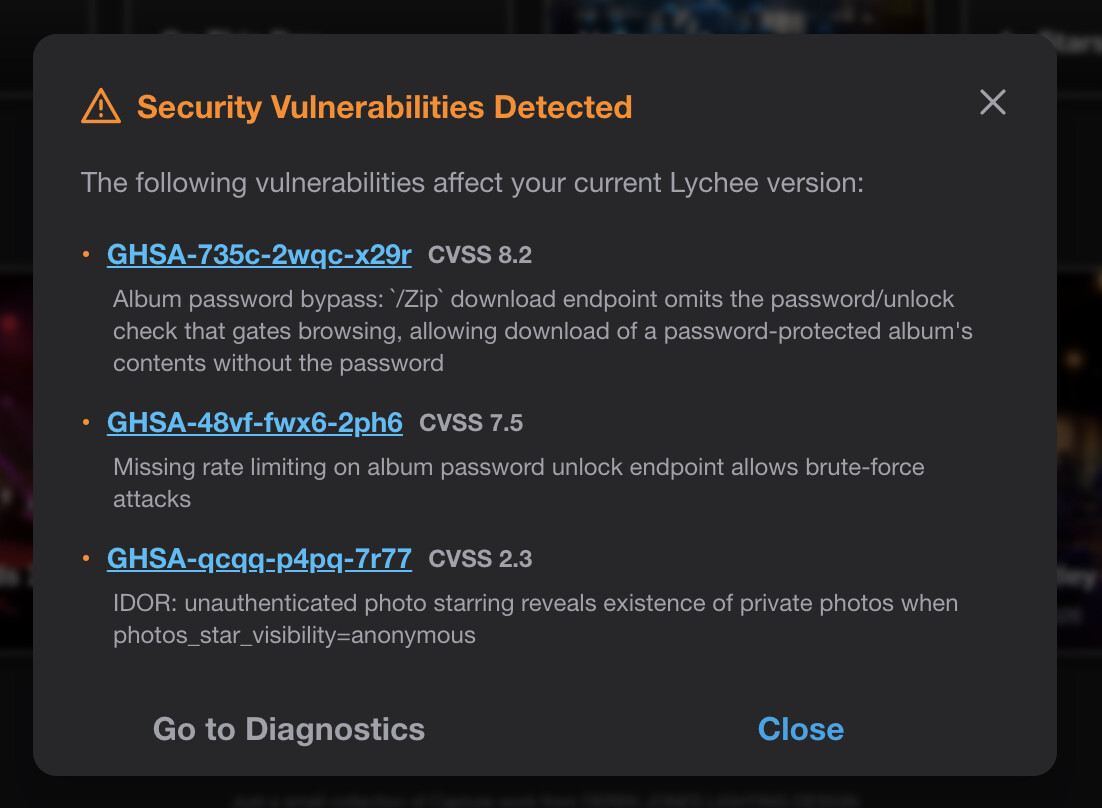
When I tried to log in as admin, I got the following dialogue:

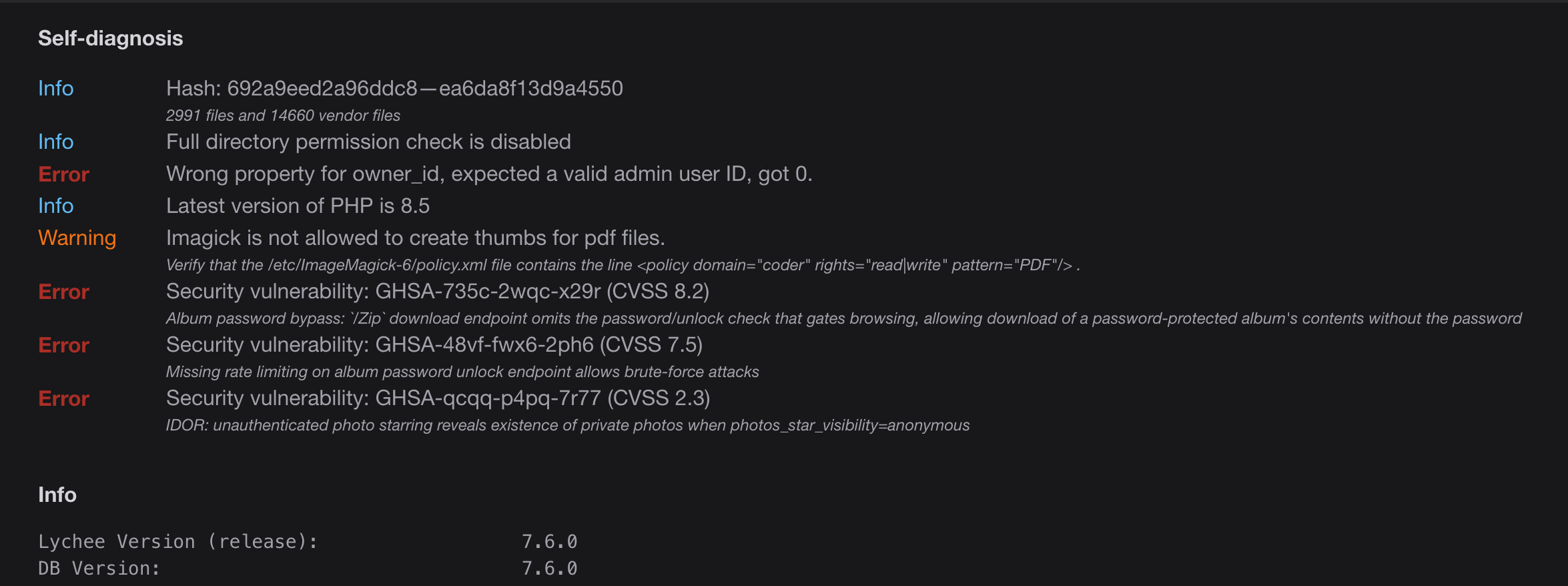
When I did a “Go to Diagnostics”, I got the following:

You can see that the upgrade happened to v7.6.0.

Here is the log:

https://paste.yunohost.org/raw/iyojizilog

Help or harm?

I’m going to leave this version live for now, despite the warnings. (my call). I’ll see what happens as this is a live working and visited site…

Thanks very much

Dj

PS: The lychee app no longer appears in the update list in the GUI

Great, the original problem seems to be fixed, thanks to @otm33
For the warnings, it is related to the fact that there is a pending version waiting to be pushed to main and we were waiting for your feedback.

@jarod5001 fantastic… Going forward, should I revert to my backup and wait for the new version to be officially pushed, or is it safe to leave the instance as is?
Have a great weekend

Dj

Latest version pushed Update to 7.6.3 + bump php version to 8.5 + fix routes + clean up by ericgaspar · Pull Request #272 · YunoHost-Apps/lychee_ynh · GitHub will be available in a few minutes, hours.
You can just run the regular update when available

2 Likes

Thank you all so very much. Top job!!! All working. I appreciate it very much.

have a great weekend all

Dj