[Linkwarden] Collaborative bookmark manager

Linkwarden for YunoHost

Integration level Working status Maintenance status

Install Linkwarden with YunoHost

Overview

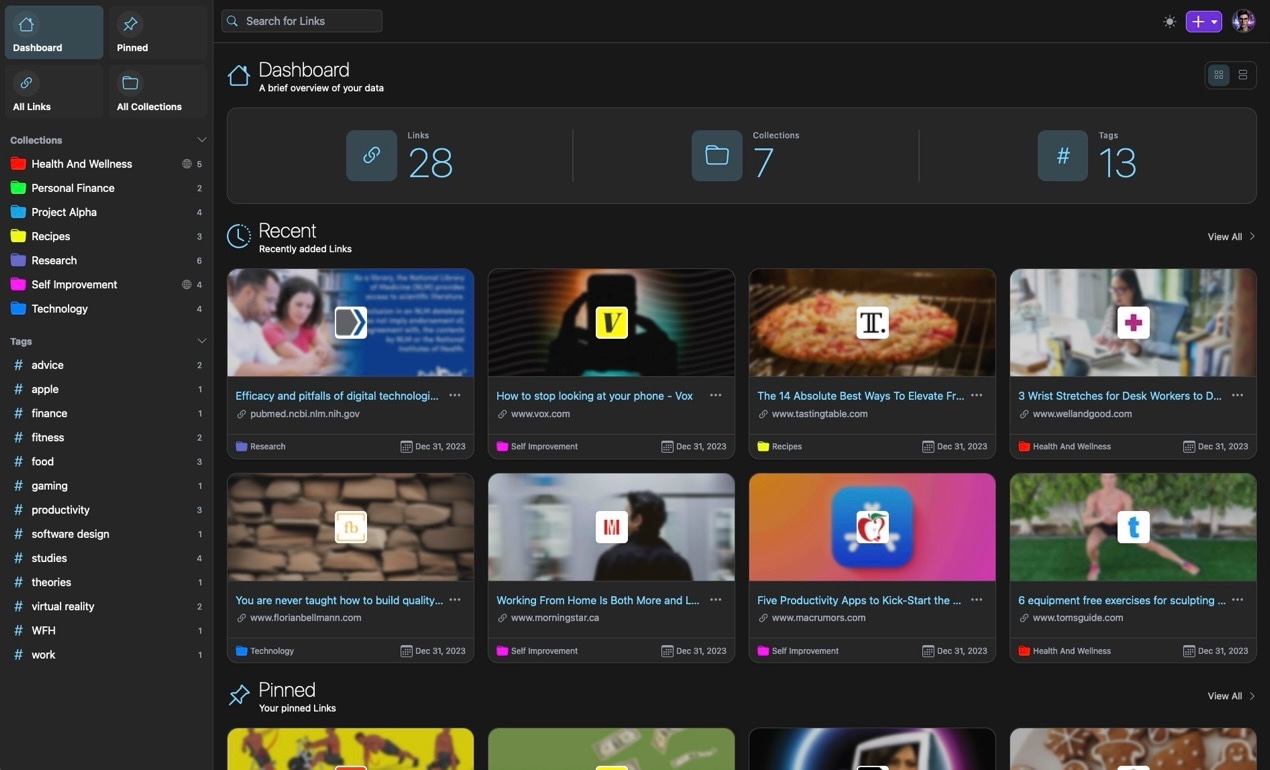
Collaborative bookmark manager to collect, organize and archive webpages.

Shipped version: 2.7.1~ynh1

Screenshots

Documentation and resources

– YunoHost app code repository: https://github.com/YunoHost-Apps/linkwarden_ynh

1 Like

Hi,

Thanks a lot for this package.
Preserved formats don’t work for me (and everybody else using Yunohost?) It seems related to the need to run Linkwarden as root.

How to handle it?

I’ve been having the same issue, it seems there is an open PR to fix this : Allow running docker images as non-root user by tribut · Pull Request #779 · linkwarden/linkwarden · GitHub

:fr:
Salut,

J’ai installé Linkwarden, ça fonctionne impeccable, mais quand je me déconnecte que ce soit sous Firefox ou Chromium, il met cet avertissement :

Firefox :

La connexion a échoué

Firefox ne peut établir de connexion avec le serveur à l’adresse 127.0.0.1:16416.

Chromium :

Ce site est inaccessible
127.0.0.1 n'autorise pas la connexion.

:uk:
Hi,

I installed Linkwarden, it works impeccable, but when I disconnect myself whether under Firefox or Chromium, it puts this warning:

Firefox:

The connection failed
Firefox cannot establish a connection with the server at the address 127.0.0.1:16416.

Chromium:

This site is inaccessible
127.0.0.1 does not allow connection.

Same issue. This issue on their github looks pertinent: preserved formats queue seems to be stuck · Issue #926 · linkwarden/linkwarden · GitHub

Any news on if/when/how preserved formats could start working?
Or how to disable them eventually?
I’m willing to test things/share logs if useful :slight_smile:

It looks like the issue has been closed and the solution is to increase the linkwarden ram limit to 4GB in I think the env

1 Like

Ok! Had some doubts cause there’s various issues tied to preserved formats, most of them linked to the PR reported up here by AkyRhO, which hasn’t still been merged actually… Just wrote on that conversation to try and understand better.
Anyway passing from 1,5 ram usage to 4 is quite a jump. I could test this eventually nonetheless. But don’t know where to start from, which “env” are you referring to?

huge jump for sure. the env is environment variable in the docker compose file

Heloo
Upgrade to 2.9.2 failed for me.
Here are the logs

Can you tell me how to find the file in which I should increase the RAM usage, if I installed Linkwarden using Yunohost?

I wasn’t able to figure it out. Hopefully someone else knows

checking in if anyone ever figured this out?

I’ve just installed LinkWarden and I’m getting the same issues with Archiving. Everything appears to work fine, it adds the links but doesn’t download an archive of the webpage. It doesn’t matter which options I check for archiving, none of them work. No error messages or user feedback that I can see.

If this isn’t going to be fixed, is it worth removing the ‘High-quality app status’ from the Yunohost catalog?

@868Hack Could you test this : nano /etc/systemd/system/linkwarden.service

#  Comment out this line
#SystemCallFilter=~@clock @debug @module @mount @obsolete @reboot @setuid @swap @cpu-emulation @privileged

#   Add this line
SystemCallFilter=~@clock @debug @module @mount @obsolete @reboot @setuid @swap @cpu-emulation @raw-io @reboot @swap nfsservctl pivot_root chown chown32 fchown fchown32 fchownat lchown lchown32 vhangup  setfsuid setfsuid32 setdomainname sethostname quotactl quotactl_fd _sysctl acct bpf  fanotify_init fanotify_mark

# Reload daemon and restart service
systemctl daemon-reload && systemctl restart linkwarden

Would you mind testing the upgrade from this branch ?

yunohost app upgrade linkwarden -u https://github.com/YunoHost-Apps/linkwarden_ynh/tree/archiving

it should work :

Thank you, hugely appreciated. Apologies for the delay in my reply.

I’ve performed the upgrade and the results are mixed. In my settings I have Linkwarden set to create Archives in the Readable and Web Page formats.

None of the links I’ve added have been archived in the Webpage format. I’ve tested the same links in Shiori which didn’t have any trouble with full webpage.

Some links are saved in the Readable format. It does seem to depend on the website. All links from bbc.co.uk eventually get a Readable archive. It fails to archive anything from theguardian.com, they are permanently stuck at “Link preservation is in the queue” Other sites are a mixed bag, some work, others don’t. Some Readable archives include the images in the article, others don’t.

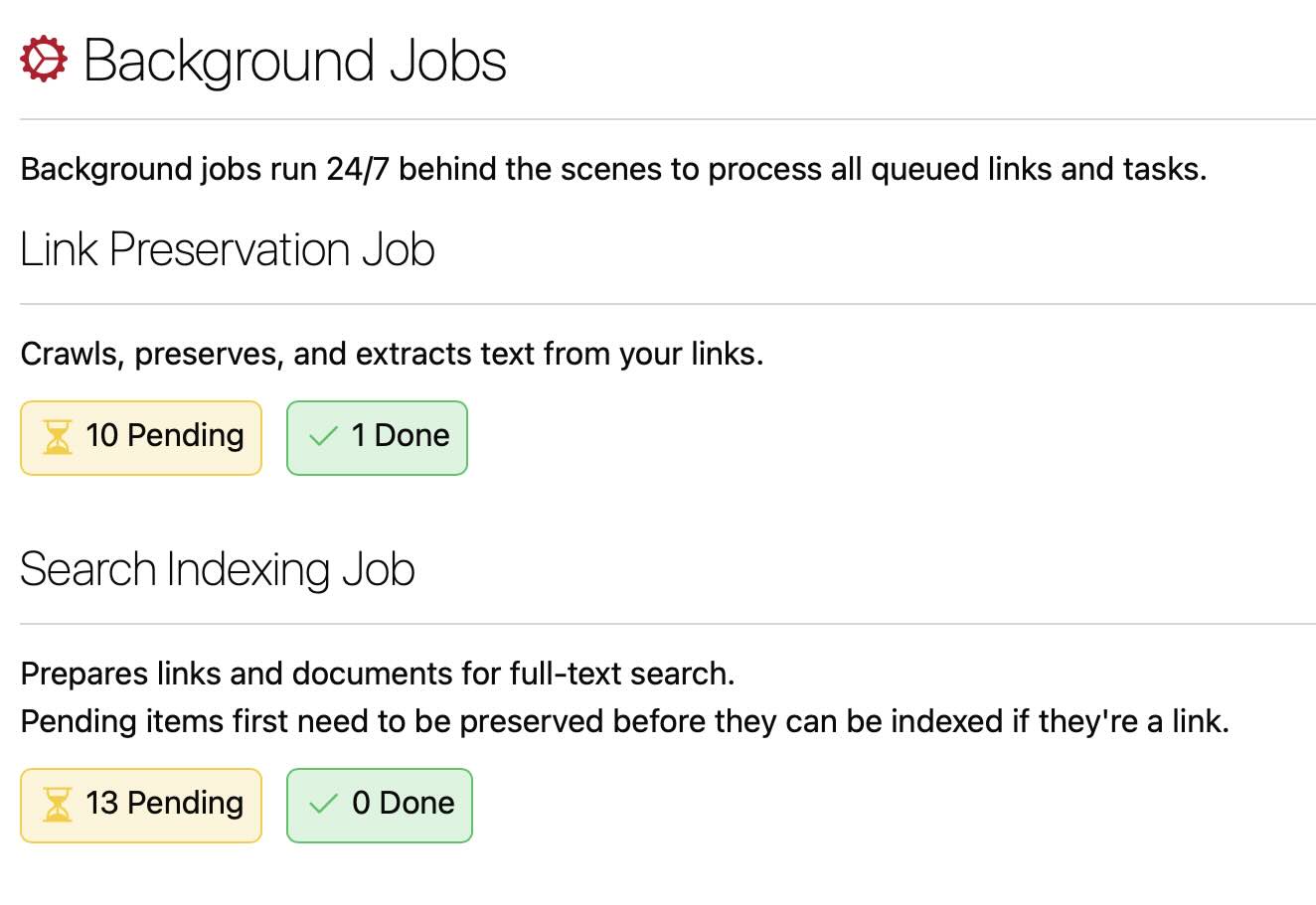
It’s also incredibly slow. Possibly due to the issue with queue status:

I have rebooted the server to see if that kickstarted the queue but to no avail.

I haven’t performed the task regarding editing the code as I presume that was superseded by the second post.

Mmh… I guess this might be related to the available resources: for the same page from theguardian, one of my servers takes around 25 seconds to generate the readable, screenshot, and PDF formats, and 60 seconds for the web page format; other server is much faster (<20 and 35 seconds).

Could you share the linkwarden service log and take a look at what “htop” shows while a page is being saved?

One of the guardian links has finally downloaded a Readable archive. That took over an hour.

The server I’m running it on is a Raspberry Pi 5. Everything else running on it is very snappy and Shiori manages to download the same archives in a similar amount of time to what you were managing.

I’m very sorry but I don’t know where to find the logs. Could you point me in the right direction?

Webadmin>Tools>Services>Linkwarden>Share log with yunopaste.

htop is an utility for monitoring system resources.