What type of hardware are you using: Old laptop or computer What YunoHost version are you running: 12.1.14 What app is this about: Linkstack
Describe your issue
There’s a 500 error when adding links. I can no longer add links. This has been an ongoing issue for a while. There is a GitHub issue that has been open since Jan 5th, but they’re also running YunoHost so I’m wondering if it’s an issue specific to YNH.
The problem seems to be some change of format in the links json file. The old (up to version 4.8.0?) json format is not compatible with newer versions (4.8.1~ynh2 and above).
I played around exporting the link json or user json and got an error when trying to import the backups.
Here is the workaround:
Backup linkstack in yunohost
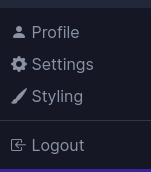
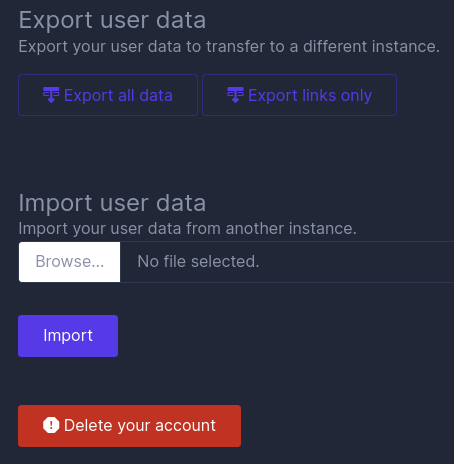
Export the user data (user json file and link json file) here is how:
2c) The Settings page will load. On the bottom half of the page you will see the section “Export user data”
2d) Click on “Expoeŕt all data” or on “Export links only” (tested by me)
Update your linkstack version in yunohost or install it new
Create a json file with the target format (=new linkstack version file format)
4a) Create some links and some other elements that are used in the linkstack account that you export
Export the user data (see steps above)
Compare old and new file format so you can edit the old json file to match the new json file. Here is how:
6a) MANUAL edit:
Add the type field:
Items with a link value (URLs) get "type": "link"
Items with link: null get "type": "heading"
Add the type_params field:
Links get "type_params": "{\"custom_html\":false,\"ignore_container\":false,\"include_libraries\":[]}"
Headings get "type_params": "{\"custom_html\":true,\"ignore_container\":false,\"include_libraries\":[]}"
6b) Automatic edit
Use whatever tool you want to add the fields above automatically. Claude.ai worked for me with the following prompt:
Bring the file attached into the following format, while keeping the content of the file.
Import the matched json file to linkstack. The import should show no error.
You should see all your old links. Some elements might faulty. Example:
 I tried translating it but it looks like it hasn’t been resolved.