Issue while trying to add attachments in planka

What app is this about, and its version: Planka v2.1.1
What YunoHost version are you running: YunoHost 13 Trixie
What type of hardware are you using: VPS bought online

Describe your issue

Hi again,

after having problems with the installation of planka, I now have an issue when using the application itself :slight_smile:

I started using the application and after a while, I tried adding an attachment to a card in a board. The feature is available when editing a card and allows to pin arbitrary files which is quite handy.
Something weird happened at that point, which is that I’m getting kicked from the application and sent back to the login page. Tried a few times with different files (and file types), always the same behaviour.
Investigation in the browser showed up that the call being made in the background from the client to the server is of type post :

POST /api/cards/1834873798856279054/attachments ...

and after doing the call an error shows up in the browser in javascript, being the following one :

Object { code: "E_UNAUTHORIZED", message: "Access token is missing, invalid or expired" }

This is interesting, because I didn’t see any notion of authorization in the application, apart from being part of a project and a board. I’m also editing my own cards, so that shouldn’t be a problem.

In order to have more information regarding the issue, first I started looking at the logs of the applications.
I noticed that in nginx, I had a few issues related to the size of the body that is sent by the client; this one is pretty common, and I fixed it by increasing the client_max_body_size setting for the domain of the application.

That did remove the errors in nginx apparently, but still no luck on the main issue.

When looking at the logs of the planka service, unfortunately there is no error related to this issue that would help understand what is going on.

From that point, my guess is that it is either :

  1. an issue on the server side where the application is unable to write the attachment object on the disk
  2. a real authentication issue with the content of the request

Investigating point 1), I noticed from reading the scripts of the ynh package that the attachments are expected to be stored in the application folder, somewhere between a private/attachments and a data/attachmentsfolder. I created all the folders I could find in documentation, thinking that the application may need the folders created in advance for the storage to work properly.
All the folders I created were done under the user of the application, with rights being 750; since I found a publicfolder in the installation folder of the application, I copied all the settings to recreate the same configuration for the private/attachmentsfolder and so on. But… that didn’t help :slight_smile:
Not sure if this really the issue, but I can see in the repo of the planka application that when they execute the application in docker, they do specify a destination folder for attachments, so maybe something is missing here in order to have the application writing files on disk properly.

Moving on to investigations on point 2), I tried to compare in my browser the calls to my planka instance and the demo instance, since attachments are functional in the demo of the app.
The calls were pretty close, they do contain the authorization token and so on, except that on the yunohost instance the call would also has a yunohost token as part of the cookie; this is expected since it is related to the SSO feature of yunohost. Just in case this would confuse the application, I disabled the SSO on the page by running :

sudo yunohost app setting planka unprotected_uris -v "/"

That did modify the behaviour of the browser, which now does a call with exactly the same informations as the ones sent to the demo instance, but… still no luck :slight_smile: I wonder if this authorization error is a legit one, or if it is not hiding another issue like the point 1)

Anyway, now I’m stuck in my investigation without a solution. I think this would require more knowledge on how the application works, but I’m unable to find the information.

Any help appreciated on this :slight_smile:

Thanks,

Share relevant logs or error messages

No error in the logs of the application; in the browser, the following error appears in javascript :

Object { code: "E_UNAUTHORIZED", message: "Access token is missing, invalid or expired" }

When looking at nginx logs, this seems to be interpreted as a 401 unauthorized error :

"POST /api/cards/1839255728880092314/attachments?requestId=local:1786447976900-0000 HTTP/2.0" 401 81 "https://planka.xxx.yyy/cards/1839255728880092314" "Mozilla/5.0 (Macintosh; Intel Mac OS X 10.15; rv:153.0) Gecko/20100101 Firefox/153.0"
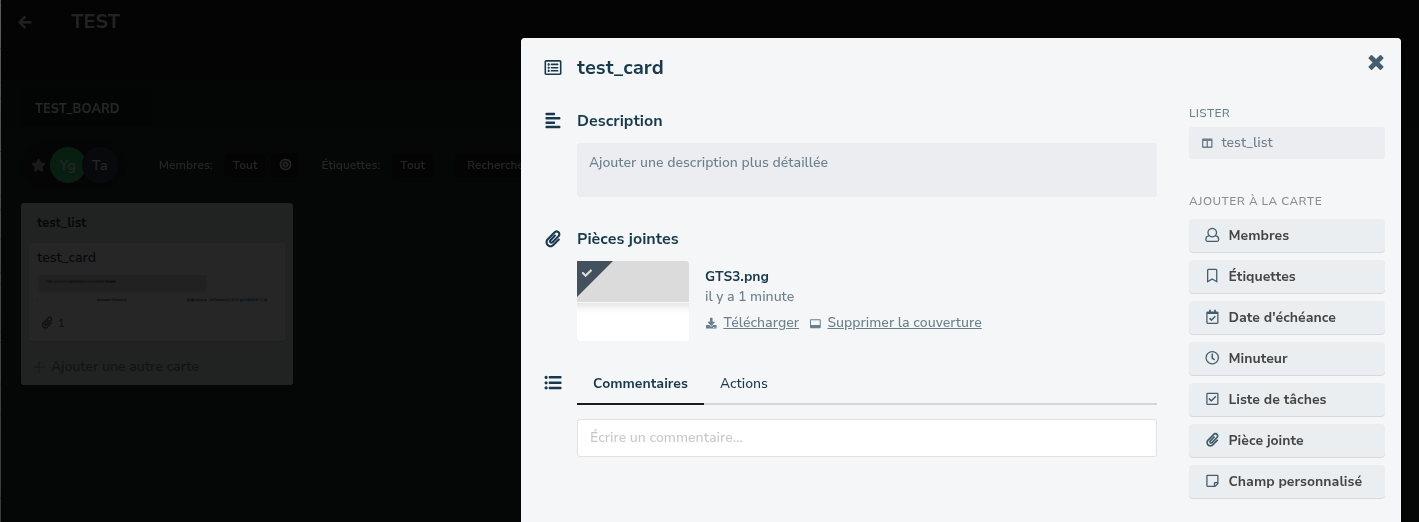
@punky try this

Force upgrade to reset the app paratemers and then

sudo nano /etc/nginx/conf.d/yourdomain.tld.d/planka.conf 
# add   client_max_body_size 1000M; (or whatever value you need)
sudo nano /var/www/planka/.env
# uncomment MAX_UPLOAD_FILE_SIZE and set value in bytes (e.g 1000000000)
sudo systemctl restart planka
sudo systemctl reload nginx

Hi,

thanks for looking at my issue.

I did an upgrade of the application this morning which bumped the version of planka to 2.2.1; from what I can see in github, this latest version includes the changes you submitted as a pull request to the yunohost integration package.
A check in the configuration files confirmed that the changes you pointed out are part of the configuration I have for the application.

I did a restart of the service, but unfortunately the issue still happens in the application. Same symptoms as previously, when I try to do an attachment, I get an E_UNAUTHORIZED error in the console, followed by a kick back to the login page. The logs of the planka service do not give more information, and the logs of nginx shows the call as a 401 result.

One thing to mention is that in order to be able to use the application, I had to create the users manually in planka through the admin interface since the planka integration does not make usage of the SSO feature of yunohost. Could it be that the authorization issue is linked in some way to this manual account creation step ?

thanks,

I assume you already tried in private tab and with cookies cleared ?

Can you share (removing sensitive data) the output of

grep -n -C 5 'planka' /etc/ssowat/conf.json

Well no I didn’t try in private browsing with cookies cleared; to make this test, I downloaded chrome as a fresh install on my machine and … still no luck :slight_smile:

Here you can find the result of the output you provided:

   "domain_portal_urls": {
5-        "apps.xxx.yyy": "xxx.yyy/yunohost/sso",
6-        "default": "/yunohost/admin",
7-        "forgejo.xxx.yyy": "xxx.yyy/yunohost/sso",
8-        "joplin.xxx.yyy": "xxx.yyy/yunohost/sso",
9:        "planka.xxx.yyy": "xxx.yyy/yunohost/sso",
10-        "xxx.yyy": "xxx.yyy/yunohost/sso",
11-        "sshwifty.xxx.yyy": "xxx.yyy/yunohost/sso",
12-        "www.xxx.yyy": "xxx.yyy/yunohost/sso"
13-    },
14-    "permissions": {
--
43-            "uris": [
44-                "xxx.yyy/yunohost/admin",
45-                "apps.xxx.yyy/yunohost/admin",
46-                "forgejo.xxx.yyy/yunohost/admin",
47-                "joplin.xxx.yyy/yunohost/admin",
48:                "planka.xxx.yyy/yunohost/admin",
49-                "sshwifty.xxx.yyy/yunohost/admin",
50-                "www.xxx.yyy/yunohost/admin",
51-                "xxx.yyy/yunohost/api",
52-                "apps.xxx.yyy/yunohost/api",
53-                "forgejo.xxx.yyy/yunohost/api",
54-                "joplin.xxx.yyy/yunohost/api",
55:                "planka.xxx.yyy/yunohost/api",
56-                "sshwifty.xxx.yyy/yunohost/api",
57-                "www.xxx.yyy/yunohost/api",
58-                "xxx.yyy/yunohost/portalapi",
59-                "apps.xxx.yyy/yunohost/portalapi",
60-                "forgejo.xxx.yyy/yunohost/portalapi",
61-                "joplin.xxx.yyy/yunohost/portalapi",
62:                "planka.xxx.yyy/yunohost/portalapi",
63-                "sshwifty.xxx.yyy/yunohost/portalapi",
64-                "www.xxx.yyy/yunohost/portalapi",
65-                "re:^[^/]*/502\\.html$",
66-                "re:^[^/]*/\\.well-known/ynh-diagnosis/.*$",
67-                "re:^[^/]*/\\.well-known/acme-challenge/.*$",
--
138-            ],
139-            "users": [
140-                "administrateur"
141-            ]
142-        },
143:        "planka.api": {
144-            "auth_header": false,
145-            "public": true,
146-            "uris": [
147:                "planka.xxx.yyy/api"
148-            ],
149-            "users": [
150-                "administrateur",
151-                "user1",
152-                "user2",
--
155-                "user3",
156-                "user4",
157-                "user5"
158-            ]
159-        },
160:        "planka.main": {
161-            "auth_header": "basic-with-password",
162-            "public": true,
163-            "uris": [
164:                "planka.xxx.yyy"
165-            ],
166-            "users": [
167-                "administrateur",
168-                "user1",
169-                "user2",

Thanks for the help,

Mmh… I cannot reproduce this issue.

Try this

sudo yunohost app setting planka protect_against_basic_auth_spoofing -v false 
sudo yunohost app ssowatconf
sudo systemctl restart planka

AndPermission API should only be set to “visitors”

Ok, just changed the permission for the API of the application to visitors only, and also I disabled the protections as you pointed out with the command lines; still got this issue though when uploading an attachment to a card.

If you cannot reproduce the issue, could it be linked to the fact that I’m installing and running the application on Trixie ? In a previous thread, I already had trouble during installation with the application user, so I was thinking maybe there could be a link.

Thanks,

I also tried it on trixie.

Can you share the response body in the console log ?

Or maybe I don’t know how to reproduce exactly your issue since I’m not familiar with this app…

Here’s what I tried to do : adding an attachment to a card from the account of an user created via planka admin webUI :

Right, the test case seems the same as my issue : with a user that has been created via planka administration pages, I create a project, a board, a list and a card. Then I try to attach a file, and everything explodes :slight_smile:

For the request itself, here is a capture of the POST call done with firefox debug tools ; looks like everything is past as request headers during that call :

POST /api/cards/1844471450602308786/attachments?requestId=local:1787070070138-0000 undefined
Host: planka.xxx.yyy
User-Agent: Mozilla/5.0 (Windows NT 10.0; Win64; x64; rv:153.0) Gecko/20100101 Firefox/153.0
Accept: */*
Accept-Language: en-US,en;q=0.9
Accept-Encoding: gzip, deflate, br, zstd
Referer: https://planka.xxx.yyy/cards/1844471450602308786
Authorization: Bearer eyJhbGciOiJIUzI1NiIsInR5cCI6IkpXVCIsImtpZCI6IjFiYjViYjJjLTUwYjMtNDgwOC04MDA2LTcwYzc1MjcwY2VjNiJ9.eyJpYXQiOjE3ODcwNzAwMzUsImV4cCI6MTgxODYwNjAzNSwic3ViIjoiMTgzNDg2OTMwODg3OTAxMjg2NyJ9.WAXwYIkISDgjdYoPG-znywQ5wvrtM5JrHCN-2qHZOuc
Content-Type: multipart/form-data; boundary=----geckoformboundaryc8a95cb3cdd7727181fc447dc60d9058
Content-Length: 538
Origin: https://planka.xxx.yyy
Connection: keep-alive
Cookie: httpOnlyToken=622cd9bd-7820-4bce-8c0b-e10428ba9105; accessToken=eyJhbGciOiJIUzI1NiIsInR5cCI6IkpXVCIsImtpZCI6IjFiYjViYjJjLTUwYjMtNDgwOC04MDA2LTcwYzc1MjcwY2VjNiJ9.eyJpYXQiOjE3ODcwNzAwMzUsImV4cCI6MTgxODYwNjAzNSwic3ViIjoiMTgzNDg2OTMwODg3OTAxMjg2NyJ9.WAXwYIkISDgjdYoPG-znywQ5wvrtM5JrHCN-2qHZOuc; accessTokenVersion=1
Sec-Fetch-Dest: empty
Sec-Fetch-Mode: cors
Sec-Fetch-Site: same-origin
Priority: u=4
TE: trailers

Do you experience this issue with all users (admin user, users created via the planka webUI)?

In order to test things in a clean way, I decided to uninstall / reinstall the application to have a fresh installation.
So that means :

  • install the application on a subdomain
  • login to ssh
  • redo all the steps for the admin user creation, since I cannot use the yunohost shell with the command sudo yunohost app shell planka
  • connect to planka with the newly created admin user

At that point, and to answer your question, I can reproduce the issue with the admin account. Previous tests were done with a standard user (with the status of project manager in planka).

Now I noticed something interesting while the debug console was opened, I also get an E_UNAUTHORIZED error while logging out from the application, which should be something I expect to work.

In that scenario, the call is even simpler than the one to attach a file to a card, and produce the exact same results, with the E_UNAUTHORIZED error in the console; also happens to kick me back to the login page, but since I asked to logout :slight_smile:

Here is the call at that point :

DELETE /api/access-tokens/me undefined
Host: planka.xxx.yyy
User-Agent: Mozilla/5.0 (Windows NT 10.0; Win64; x64; rv:153.0) Gecko/20100101 Firefox/153.0
Accept: */*
Accept-Language: en-US,en;q=0.9
Accept-Encoding: gzip, deflate, br, zstd
Referer: https://planka.xxx.yyy/
Authorization: Bearer eyJhbGciOiJIUzI1NiIsInR5cCI6IkpXVCIsImtpZCI6IjJhNjNiMmVhLTcwN2EtNGFlZS05NzYzLTA3NjkwN2NjZmYwMSJ9.eyJpYXQiOjE3ODcxMjY2OTIsImV4cCI6MTgxODY2MjY5Miwic3ViIjoiMTg0NDk0NzMyNDI2Mjk0MTcxMCJ9.iQx9zrSU4C--sYqnk32BMuyoWXXWUhg2UynFEgzZvbE
Origin: https://planka.xxx.yyy
Connection: keep-alive
Cookie: httpOnlyToken=91d04563-9f0b-4515-bbf4-a32e9b666700
Sec-Fetch-Dest: empty
Sec-Fetch-Mode: cors
Sec-Fetch-Site: same-origin
Priority: u=0
TE: trailers

I’m starting to wonder if this issue may be linked to the subdomain I use for the application ? Since the installation requires to locate the application at the root of a subdomain, I created a new one through the yunohost admin page, and got the let’s encrypt certificates setup correctly, but maybe there’s something missing on that side.

Thanks :slight_smile:

I left a message in support room to see if other users are experiencing the same issue.

I also modified the install script to create the admin user on the following branch

yunohost app install  https://github.com/YunoHost-Apps/planka_ynh/tree/adminuser_fix --force

Try to ensure all subfolders of install_dir and data_dir are owned by the app
chown -R planka:planka /var/www/planka
And
chown -R planka:planka /home/yunohost.apps/planka
(I don’t know if this app is PHP or not, in that case, the ownership would be planka:www-data)

Can you temporarily add

SHOW_DETAILED_AUTH_ERRORS=true
# and change LOG_LEVEL=warn to
LOG_LEVEL=debug

in your planka .env file, restart planka, try to add an attachment, and logout. the logs may be more verbose..?

Once done, remove SHOW_DETAILED_AUTH_ERRORS=true from .env file and restart planka.

And found this issue…

Right, thanks for the leads, here are the things I tried :

  • checked the rights of the folders; all seems to be fine, folders are correctly owned by the planka user, altough there is no folder for the planka application in /home/yunohost.app, is that a normal behaviour ?
  • tried to change the env values in the file; while re-reading the issue on github, I even found a log level called “silly”, also tried that, but unfortunately I don’t get more information on the error, just additional logs of initialization
  • read the issue on github again, now that we have more knowledge of how the application works; the issue is indeed very close to what I’m experiencing. From what I understand, when using the application through the website, the authentication calls should carry the httpOnlyToken as a cookie, which is the case for example in the logout call.

Doing more investigations, I checked also what happens at login time; the login call effectively asks for a httpOnlyToken behaviour :

POST /api/access-tokens?withHttpOnlyToken=true HTTP/2
Host: planka.xxx.yyy
User-Agent: Mozilla/5.0 (Macintosh; Intel Mac OS X 10.15; rv:153.0) Gecko/20100101 Firefox/153.0
Accept: */*
Accept-Language: fr,fr-FR;q=0.9,en-US;q=0.8,en;q=0.7
Accept-Encoding: gzip, deflate, br, zstd
Referer: https://planka.xxx.yyy/login
Content-Type: multipart/form-data; boundary=----geckoformboundarya8083667d8621cfa9921e492095d4b82
Content-Length: 320
Origin: https://planka.xxx.yyy
Connection: keep-alive
Sec-Fetch-Dest: empty
Sec-Fetch-Mode: cors
Sec-Fetch-Site: same-origin
Priority: u=0

And answers a 200 with a token valid for a year :

HTTP/2 200 
server: nginx
date: Thu, 20 Aug 2026 09:23:59 GMT
content-type: application/json; charset=utf-8
content-length: 236
x-sso-wat: You've just been SSOed
set-cookie: httpOnlyToken=xxx; Path=/; Expires=Fri, 20 Aug 2027 09:23:59 GMT; HttpOnly; Secure; SameSite=Strict
x-exit: success
etag: W/"ec-ArWASnBj7VECdWT8LnIcOW7G6rI"
vary: Accept-Encoding
content-security-policy: upgrade-insecure-requests
x-content-type-options: nosniff
x-xss-protection: 1; mode=block
x-download-options: noopen
x-permitted-cross-domain-policies: none
x-frame-options: SAMEORIGIN
permissions-policy: interest-cohort=()
strict-transport-security: max-age=63072000; includeSubDomains; preload
X-Firefox-Spdy: h2

Interestingly, yunohost seems to add its grain of salt during the request, since it left a message that I’ve been SSOed :slight_smile:

Could it be that yunohost is stripping in some way the cookie from the request ?

Thanks

Edit :

Finally found the solution to my issue, so I’m editing this message since the thread is locked :slight_smile:

Turns out that I was stuck on yunohost upgrades since the 13.0.4; I just realized the issue while trying to apply the migration n°37.
After reading the forums, I followed the explanations available here to get back on track on the updates :
https://forum.yunohost.org/t/yunohost-13-0-trixie-spooky-beta/40656/172

I re-installed Planka from scratch and followed the procedures I’m to by now, and now attachments are working correctly.
The issue I had in my previous forum post is also gone, I can now run without troubles the command :

sudo yunohost app shell planka

Thanks for all the help with the investigation,