What app is this about, and its version: Nextcloud from yunohost install
What YunoHost version are you running: not sure, recent
What type of hardware are you using: Old laptop or computer
Describe your issue
Hello,
I have a yunohost running on a virtualbox. I manage the host as well as the virtualmachine, all is ok.
The present virtual machine is too small. I added a 2TB ssd to the system, and created an other virtual disk. Now I have two virtual disks, say 1 (with yunohost) and 2 (empty).
I want to access the second disk from yunohost, precisely Nextcloud.
I don’t want to move Nextcloud, but add the second disk as external Nextcloud storage.
My problem is that I don’t know what is the path to the local disk for Nextcloud.
If I give the absolute path from the host Nextcloud don’t see it.
My question: where may have to mount a disk on yunohost to make it available to applications?
I can access the yunohost debian install, but the way yunohost manage it’s files is not obvious 
Any link appreciated 
Thanks
Share relevant logs or error messages
no error I know of
Yunohost is debian based. So you can go the debian way.
Mount your drive, create a dedicated folder for nextcloud with permissions “nextcloud:nextcloud”, then in nextcloud go to the admin area > external storage and use the path to the nextcloud folder you created
Already mounted in a folder, may be the permissions needs fixing, I will test asap
thanks
Well… it’s not the problem. I guess I have to ask on virtualbox forum…
[code]
host-yuno@debianhost:~$ vboxmanage list hdds | grep vdi
Location: /home/host-yuno/VirtualBox VMs/yunohost/yunohost.vdi
Location: /home/host-yuno/ssd-nextcloud/yunohost_2.vdi
[/code]
(simplified)
yunohost and of course nextcloud are on yunohost.vdi virtual disk, and the free ssd space on the yunohost-2.vdi
the problem is to make the second visible from the first
writing “ /home/host-yuno/ssd-nextcloud/yunohost_2.vdi” in nextcloud is not accepted and there is no nextcloud user on the host, so I can’t change he permissions (-rw------- 1 host-yuno host-yuno 536874057728 17 nov. 12:00 yunohost_2.vdi)
to be continued
thanks
jdd
No, that’s not what you have to do.
yunohost_2.vdi is in your host.
In your VM settings, go to storage, add disk in the “controller :SATA”. Then reboot your VM.
Now, from your VM, you can see it and mount it.
It’s what I did:
screen copy
I have the two virtual disks in the virtual machine sata part, but still don’t know how to find the path nextcloud ask for.
thanks
jdd
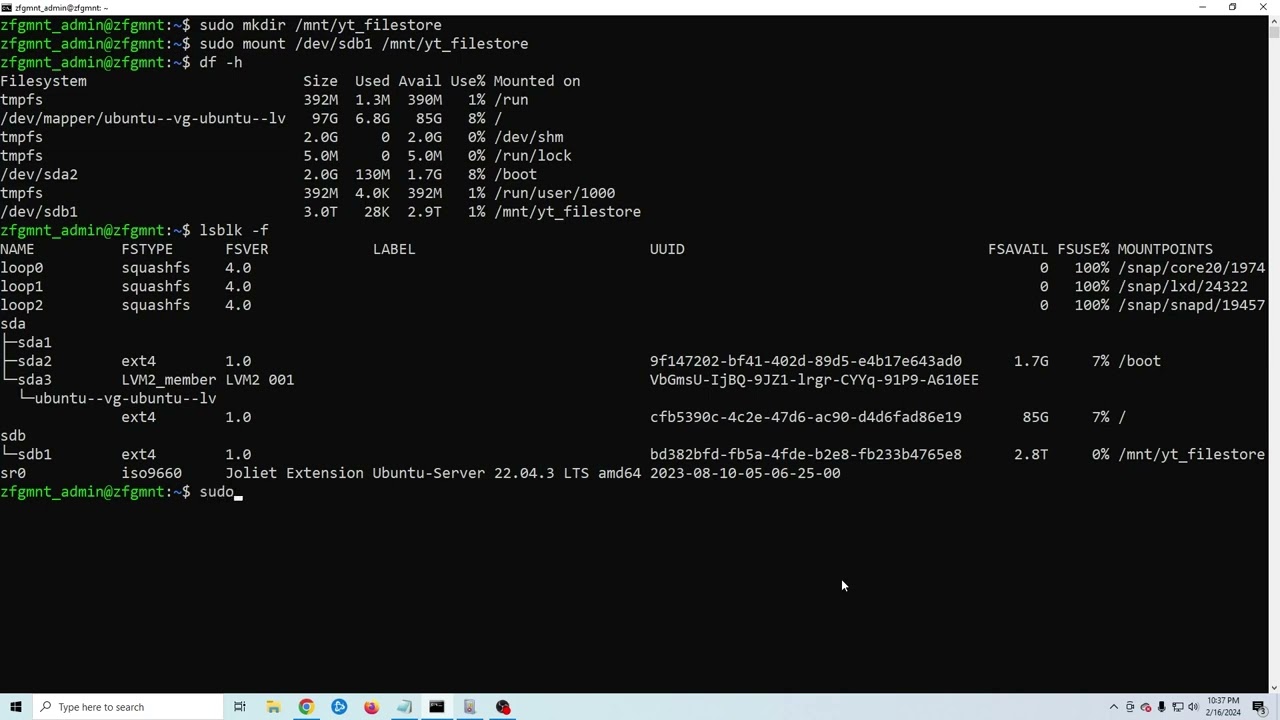
Good, but you have to format the disk and mount it on the server. Follow this video tutorial
You will get your new disk mounted on /mnt/yourdrive
Then create a dedicated folder for nextcloud :
sudo mkdir /mnt/yourdrive/nextcloud
Then allow nextcloud to use it :
sudo chown nextcloud:nextcloud /mnt/yourdrive/nextcloud
Replace “yourdrive” with the name you gave to the folder you mounted it on.
Then use
/mnt/yourdrive/nextcloud
In nextcloud external storage (local)
Yes, I know that. My problem (solved) was to find where this ssd disk was in the yunohost system.
I could find it with lsblk, it was /dev/sdb
then I could open it with fdisk, create a partiton, format is as vfat with mkfs and finally mount it in a folder specially created for it in the the yunohost user.
And nextcloud accept it
I know, installing yunohost in a virtual machine is not recommended, but the host was already used for some other stuff, so I couldn’t keep it only for yuno.
So I had to manage cascading mounts (host, virtual, yuno) and it’s a bit mind blowing
I can gives details if anybody needs it.
thanks, your notices helped me a lot managing the stuff!
jdd