jacobb
September 15, 2026, 5:32am
1
on
NOT general issues with YunoHost.on
on
Cryptpad, latest
Latest
VPS bought online
My cryptpad server does not work well. When opened it just stays at “Loading…”
I think the solution might be to make a fresh install, but in that case, I need to make a back up of the user files and reinsert them afterwards.
Is there an easy and safe way to do that?
Did you try the yunohost backup command?
jacobb
September 15, 2026, 12:57pm
3
No, and it is very embarrassing that I didn’t even notice that there is such a function!
jacobb
September 15, 2026, 1:00pm
4
OK, I tried, but to no avail.
Downloading the backup file fails and restoring it gives: “The following apps can't be restored because they are already installed: cryptpad”
Try running chown -R cryptpad:www-data /var/www/cryptpadsystemctl restart cryptpad
Can you share the generated linkyunohost service log cryptpad | yunopaste
otm33
September 15, 2026, 6:25pm
9
What does return ls -la /var/www/cryptpad/customize ?
jacobb
September 15, 2026, 7:31pm
10
# ls -la /var/www/cryptpad/customize
Does that help?
otm33
September 15, 2026, 8:49pm
11
Does your cryptpad domain match the domain set in /var/www/cryptpad/config/config.js ?
rodinux
September 15, 2026, 9:32pm
12
Does it comes after an upgrade ?
Did you have a sandbox-cryptpad.domain.tld or sandbox.cryptpad.domain.tld created ? and also have declared this one as a CNAME on DNS zone ?
Did you try force regenerate the ssl certificate for the cryptpad domain ?
jacobb
September 16, 2026, 4:12am
15
I found out that cryptpad provides this:
Diagnostics
CryptPad provides a diagnostics page that runs instance configuration tests. Visit https://cryptpad.yourdomain.com/checkup/ after completing all of the steps above to ensure everything is correctly configured.
But when trying at https://pad.jacobbahn.dk/checkup/ I just get:
Oops!
It’s possible that required resource couldn’t be loaded. See your browser’s console for more details.
Failed to load https://pad.jacobbahn.dk/customize/lucide.js?ver=2026.5.1-1789479497946.
Could this be helpful in any way?
jacobb
September 16, 2026, 4:32am
16
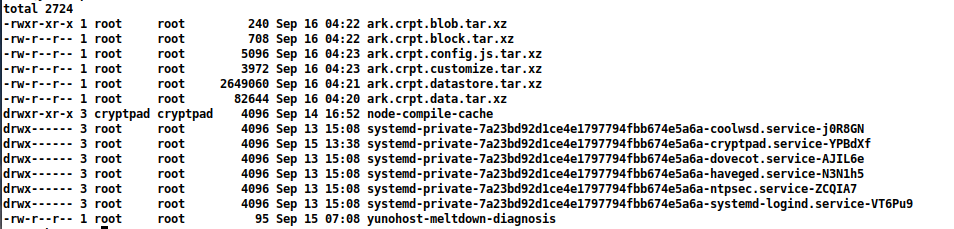
I have made tar files of the folders I wish to copy before a fresh install and put them in /tmp on the Yunohost server:
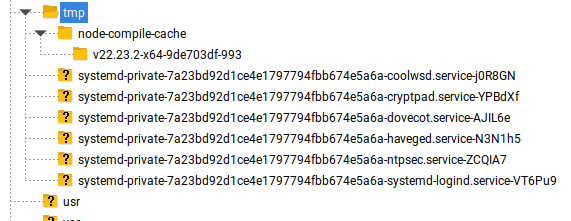
But I cannot see them in FileZilla (note that I have changed the permission for the first tar)
jacobb
September 16, 2026, 4:51am
17
I ran a diagnosis on the Yunohost server. It is generally fine but gives me these two issues:
Could that be related?
jacobb
September 16, 2026, 10:10am
18
Once again I find that the answer for me is to start all over. I shut down this whole Yunohost server and will make a fresh install
I am really thankful for your efforts, though.