What type of hardware are you using: Old laptop or computer What YunoHost version are you running: YunoHost 12.1.39 (stable) How are you able to access your server: The webadmin Are you in a special context or did you perform specific tweaking on your YunoHost instance ?: no
Describe your issue
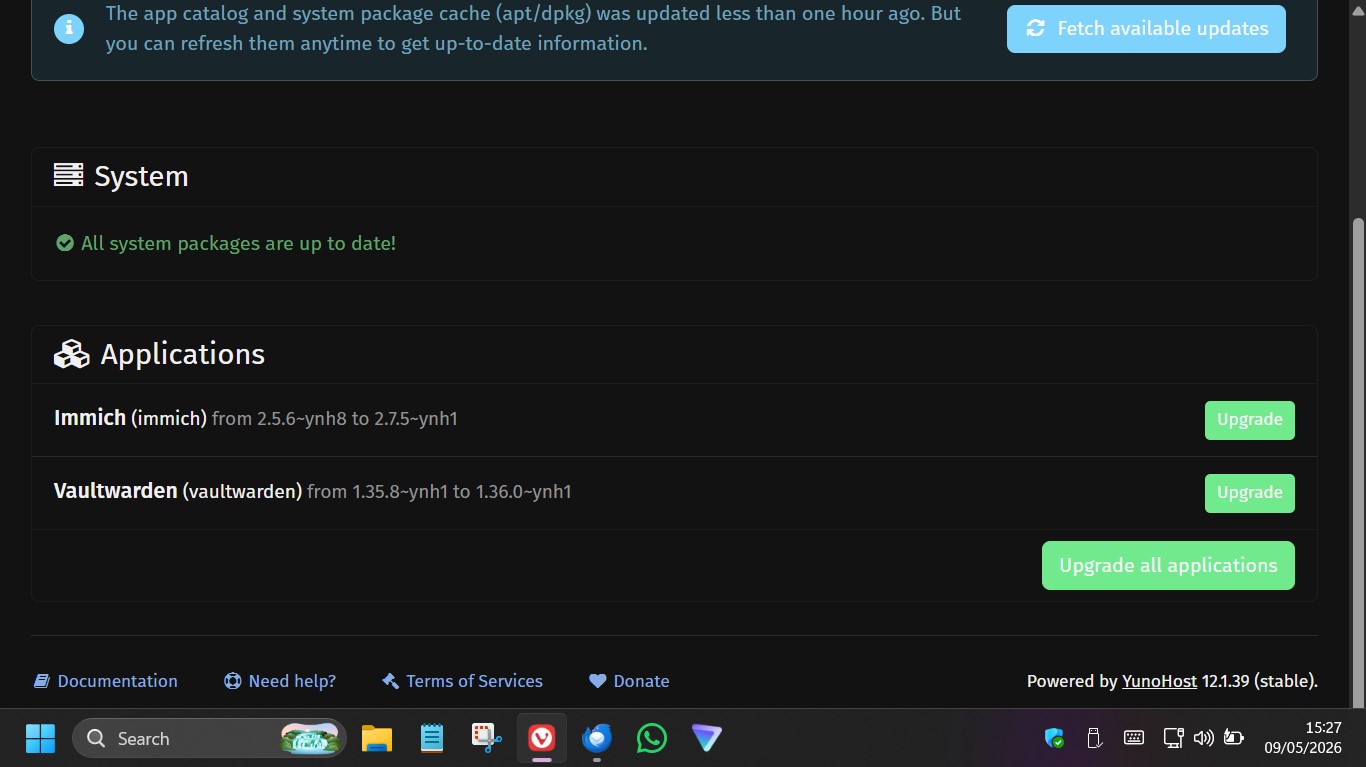
I had issues with an app so de-installed it via the web interface. The app in question is Vaultwarden but the issue I think relates to YNH overall rather than the Vaultwarden app itself. I re-installed the app and noticed (later) that it had called it Vaultwarden_2 rather than just Vaultwarden. The installed app works fine but here is the issue, when an upgrade was issued I had TWO apps on the Upgrade page showing a need for upgrade, one called Vaultwarden(Vaultwarden_2) and one called Vaultwarden (Vaultwarden). I upgraded the former, and it went fine. The app itself (Vaultwarden_2) is working fine. The upgrade for Vaultwarden (Vaultwarden) keeps failing. It fails, I believe, as it can’t create a backup because the app directories don’t exist. Which makes sense as it is not actually installed twice. In fact , if I look at installed apps and domains , Vaultwarden is only installed once on one domain. Some residue must be stuck somewhere from the original install, how can I clear this out?
Share relevant logs or error messages
YunoHost encountered an internal error
Really sorry about that.
You should look for help on the forum or the chat to fix the situation, or report the bug on the bugtracker.
The following information might be useful for the person helping you:
Error: “500”
Error message:
Aborting the upgrade, because a safety backup could not be created (Failed to collect files to be backed up)
While processing the action the server said:
Collecting files to be backed up for vaultwarden…
Declaring files to be backed up…
File or folder ‘/var/www/vaultwarden’ to be backed up does not exist
Failed to collect files to backed up for vaultwarden.
Unless I am mistaken, it appears that YNH installs applications (or their parameters) in a directory called /var/www . Here I see that there is a directory called vaultwarden_2 but no directory called vaultwarden. It appears that at the removal and replacement of vaultwarden something was left behind and YNH does seem to be able to install multiple app instances and just adds the “_2” to directory names when they already exist. But where is the original vaultwarden directory? It’s not the one in /var/www. It must be another area used for apps core install rather than the vars? Where is that? If I can find it I can delete the rogue “vaultwarden “ directory. It must be where YNH looks to see its ’list’ of apps and then look for updates… where is it ? Does anyone know? Please advise. I can’t force a CLI de-install of vaultwarden as the vaultwarden_2 app is now in use by multiple users.
I may have found it. There is a directory called yunohost.app (seems a sensible name for app installs). In here there is a directory call vaultwarden and vaultwarden_2. I presume this is the one to delete?
Wierdly I also spot two directories that seem to be related to my install of the app Cockpit. One is called a nice clean name = monitorix the other is called monitorix_2025901.194134 . I wonder if they are similarly a double install of Cockpit? They both seem to have all the same files inside them? IS there some YNH command I can issue to clean these up ?
I deleted the empty yunohost.app/vaultwarden directory it didn’t seem to break anything but this hasn’t fixed the rogue update issue. YNH Updates screen throught the web interface is still offering to upgrade the non-existent Vaultarden app. Where does the Updates screen get it’s list of apps from ? Does anyone have any pointers?
I also found a directory /etc/yunohost/apps . This also contains a directory for each of my installed apps including the two directories for Vaultwarden. They both seem to have a plethora of files in them , they do look like duplicate directories. I will delete the orogonal vaultwarden directory.
I think I arrived late, but it would be good to check with sudo yunohost app list and then if you find it just use sudo yunohost app remove <your_app_id>. Usually it’s a better idea to uninstall an app cleanly instead of just deleting the folder, however if it worked I think it’s fine, but don’t be surprised if there’re some other files remaining somewhere, probably they won’t bother anyway.