I guess some permissions during years of the operation could been messed up, as WP
on the instance is used just as an archive hence very rarely.
Share relevant logs or error messages
Only logs at hand currently are about that Ynh-package upgrade process and wp-fail2ban-redux blocking it. I’d be glad to provide the outputs on the topic to pin point the problems with native/in-app upgrade. Have no idea where to start that yet. :sad:
…
2026-07-11 15:34:41,833: WARNING - Warning: wp-fail2ban-redux: This update requires WordPress version 5.8, but the version installed is 5.7.15.
2026-07-11 15:34:41,835: WARNING - Error: No plugins updated.
…
There are two users in “Groups/users allowed to access” @ “Permission ‘admin’” on app page (<yunohost/admin/#/apps/wordpress/_core>). I’m pretty sure it happened years ago when Ynh instance was added designated user for administering purposes to separate that from using its features (so the admin won’t do everyday usage). And in WP that designated user was only added, without stripping the privileges of initial one - exactly to not ruin something.
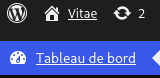
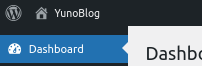
Here are the screenshots for both of admin users. Sadly, no circle arrow for new version at all. =(
Also it have always been puzzling why fresher admin have less right (top buttons) than initial one. My guess was it could config itself during the installation maybe.
Thank you for the advice! It’s only “Sorry, you are not allowed to access this page.” at the path. (Using both accounts.) But this draw my attention to look at the version WP reports, and it differs from Ynh app version. WP says it’s 5.7.20 while Ynh says the app is 6.8~ynh1.
I need to give some thoughts to this. Yet it feels hard to comprehend without the help from the maintainers… But chances to get that doesn’t look bright.
(the context for anyone happens to get here)
This WP instance is just an archive of the posts & the comments, but with all the tags and the metadata all the attempts to migrate it somewhere failed (turns out hard to track edits, etc.). It’s rarely used (the reason it fell behind on the upgrades) but is needed. Even old version is not a problem. Main concern is the safety of Ynh instance, and operational WP. Though I remember how hard it was to really export everything to move into Ynh – it’s top driver to upgrade the thing: to have the items modern if something happens (Ynh stop as Sandstorm had, or WP will name a successor).
So if i understand well you did not see the button cause your user has not the admin permissions to see it.
About the version diff, in theory, you should have the WP version higher than the ynh versions. It’s because wordpress is normally configured with the auto-update companion and we have no mechanism to read the current software version.
I hope this answer was helpful. Please keep in mind that most of YunoHost’s development is done by volunteers, including this answer. Some of them earn less than the minimum wage in their country. If you can afford it, please consider donating to the 2026 fundraising campaign to help us keep this project going without putting anyone at risk.
Does this mean the best course of action is to understand why both users chosen for “Groups/users allowed to access” @ “Permisson ‘admin’” has not the admin permissions to see an upgrade? As the chances are after fixing this it will just catch up?
@ljf , this turns out to be quite tough to research for me: at least I’m not able to get meaningful results in 15 days Discourse gives for a topic. Would you mind if I bring this to issue tracker, or there are better approaches to this? Which place/type there is most appropriate, btw?