🎃 YunoHost 13.0 / Trixie spooky beta

24th April

OrangePi Zero 3

Trying to install YunoHost 13 on top of Armbian 26.2.0-trunk.792 trixie:

5/5 • Installing YunoHost

    'apt-get install --assume-yes -o Dpkg::Options::=--force-confold -o APT::install-recommends=true yunohost yunohost-admin postfix' failed.

[Partial] Log says:

^[[1m  5/5 • Installing YunoHost^[[0m


===================

Running: apt-get install --assume-yes -o Dpkg::Options::=--force-confold -o APT::install-recommends=true yunohost yunohost-admin postfix

===================

Reading package lists...

Building dependency tree...

Reading state information...

E: Unable to locate package yunohost

E: Unable to locate package yunohost-admin

[^[[1m^[[31mFAIL^[[0m] Installation of YunoHost packages failed

@sloth ‘s answer fixes this, but it’s been 23 days since they posted, and it would be helpful if the fix was published, or the first post updated with the extra tips.

Other than that, I can’t start nftables:

Apr 24 18:01:46 systemd[1]: Starting nftables.service - nftables...
Apr 24 18:01:46 nft[74426]: /etc/nftables.conf:3:1-14: Error: Could not process rule: Operation not supported
Apr 24 18:01:46 nft[74426]: flush ruleset
Apr 24 18:01:46 nft[74426]: ^^^^^^^^^^^^^^
Apr 24 18:01:46 systemd[1]: nftables.service: Main process exited, code=exited, status=1/FAILURE
Apr 24 18:01:46 systemd[1]: nftables.service: Failed with result 'exit-code'.
Apr 24 18:01:46 systemd[1]: Failed to start nftables.service - nftables.
Apr 24 18:05:29 systemd[1]: Starting nftables.service - nftables...
Apr 24 18:05:29 nft[76712]: /etc/nftables.conf:3:1-14: Error: Could not process rule: Operation not supported
Apr 24 18:05:29 nft[76712]: flush ruleset
Apr 24 18:05:29 nft[76712]: ^^^^^^^^^^^^^^
Apr 24 18:05:29 systemd[1]: nftables.service: Main process exited, code=exited, status=1/FAILURE
Apr 24 18:05:29 systemd[1]: nftables.service: Failed with result 'exit-code'.
Apr 24 18:05:29 systemd[1]: Failed to start nftables.service - nftables.

After a restart it seems to be working now.
To reiterate my last questions, how can I get my old config back (there are yunohost backups still present on the drive; do I reinstall 12 or try to port the backup/configs to 13?) Or should I just “savagely” re-run the post-install, and if so, how do I do that?

My yunohost server is not actively serving anything installed via yunohost until I can resolve this, and though I want to do it in the gentlest way possible, at this point I’m happy to hit it with a hammer and start over.

Hi @keverets

Before anything save all your backups outside yunohost to be able to import them.

YNH 13 is still beta you so if you didn’t do a backup prior upgrade, this will be complicated ( Backup restore silently fails in YunoHost 13 - #6 by wbk ).

It is possible to reinstall a yunohost system by installing it ( Install on... | Yunohost ) then restoring system backup ( with core ) that was done for that YNH 12 version.
I assume here backup was a full one and that all files were included, it might occurs that some applications don’t have a working backup/restore system. If you have applications with a level below 6 and/or did install through url directly, anything can break.

If you want us (ie yunohost community of contributors) to find out how to fix your current installation, all yunopaste logs of failing installation are required, there are far too many variables that a general answer is not possible, and even with logs it is not sure we will have time and to dig in it. There is a matrix support channel too.

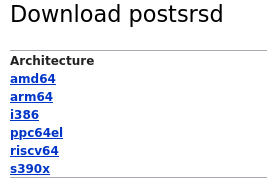
me trying installing ynh on odroid xu4 (armhf) postsrsd is not present in debian armhf packages.

  5/5 • Installing YunoHost

===================
Running: apt-get install --assume-yes -o Dpkg::Options::=--force-confold -o APT::install-recommends=true yunohost yunohost-admin postfix
===================
Reading package lists...
Building dependency tree...
Reading state information...
Solving dependencies...
Some packages could not be installed. This may mean that you have
requested an impossible situation or if you are using the unstable
distribution that some required packages have not yet been created
or been moved out of Incoming.
The following information may help to resolve the situation:

The following packages have unmet dependencies:
 yunohost : Depends: postsrsd but it is not installable
            Recommends: yunohost-portal (>= 12.1) but it is not going to be installed
            Recommends: ntp but it is not installable
            Recommends: unattended-upgrades but it is not going to be installed
            Recommends: libdbd-ldap-perl but it is not going to be installed
E: Unable to correct problems, you have held broken packages.
E: The following information from --solver 3.0 may provide additional context:
   Unable to satisfy dependencies. Reached two conflicting decisions:
   1. yunohost:armhf=13.0.4 is selected for install
   2. yunohost:armhf Depends postsrsd
      but none of the choices are installable:
      [no choices]
[FAIL] Installation of YunoHost packages failed

I will not use the mail system, is it possible to not install it ?

Hello, here is my upgrade on a VPS with bookstack and wireguard server installed https://paste.yunohost.org/raw/avafanipoy

Failed to run command 'aptitude unhold bookstack-ynh-deps wireguard-ynh-deps'

Hi! I’m trying to install home assistant on an amd64 mini pc, and the installation immediately fails. (I’ve had to put a space in the url in order to post because new users cannot post urls)

args:
app: homeassistant
force: false
ignore_yunohost_version: false
label: Home Assistant
no_remove_on_failure: false
ended_at: 2026-06-13 15:46:34.622832+00:00
error: useradd command failed with exit code 2304
interface: api
operation: app_install
parent: null
related_to:

    • app
    • homeassistant
      started_at: 2026-06-13 15:46:28.876026+00:00
      started_by: ******
      success: false
      yunohost_version: 13.0.4

============

2026-06-13 17:46:29,888: INFO - homeassistant wird installiert…
2026-06-13 17:46:29,905: INFO - Provisioning sources…
2026-06-13 17:46:29,905: DEBUG - Prefetching asset main: https ://github.com/home-assistant/core/archive/refs/tags/2026.6.3.tar.gz …
2026-06-13 17:46:34,511: INFO - Provisioning system_user…
2026-06-13 17:46:34,529: WARNING - Failed to provision system_user : useradd command failed with exit code 2304
2026-06-13 17:46:34,530: INFO - Deprovisioning sources…
2026-06-13 17:46:34,536: INFO - Deprovisioning system_user…
2026-06-13 17:46:34,622: ERROR - Failed to rollback system_user : Failed to delete system user for homeassistant
2026-06-13 17:46:34,622: ERROR - Automatische Ressourcen-Allokation (provisioning), die Unterbindung des Zugriffts auf Ressourcen (deprovisioning) oder die Aktualisierung der Ressourcen fĂźr homeassistant schlug fehl: useradd command failed with exit code 2304

Hello,

Upgrade from an existing YunoHost 12 fails on my server.

Let me know if more information is needed to iron out theses issues !

Error message

yunohost.utils.error.YunohostError: Failed to run command 'aptitude full-upgrade libluajit2-5.1-2- libluajit2-5.1-common- libluajit-5.1-2+M libluajit-5.1-common+M --show-why -o APT::Force-LoopBreak=1 -o Dpkg::Options::='--force-confold''

Full log

https://paste.yunohost.org/raw/luyanixuqe

Steps followed

  • Upgrade launched from the Web interface and fails quicky.
  • Log is generated with the button Partager les logs avec YunoPaste in the webadmin

I didn’t curl => bash but it should not have any impact with the error.

wget https://install.yunohost.org/switchtoTesting
# < Check the content of the script >
bash ./switchtoTesting

Yunohost version


yunohost tools versions 
yunohost: 
  repo: stable
  version: 12.1.40.1
yunohost-admin: 
  repo: stable
  version: 12.1.14
yunohost-portal: 
  repo: stable
  version: 12.1.2
moulinette: 
  repo: stable
  version: 12.1.3
ssowat: 
  repo: stable
  version: 12.1.1

When trying to upgrade my existing Bookworm server the ‘swithToTesting’ skript gives permission errors for sources files and apt upgrade. Why are the commands in the script without sudo?

Another question: Is it possible to start the migration from cli or is the webadmin the only way?

Sorted the issues out by trying:

When trying to upgrade my existing Bookworm server the ‘swithToTesting’ skript gives permission errors for sources files and apt upgrade. Why are the commands in the script without sudo?

I simply switched to root for running the script. Than it worked.

Another question: Is it possible to start the migration from cli or is the webadmin the only way?

sudo yunohost tools migrations run --accept-disclaimerworks from command line.

Next issue: it seems that the Node.js repository syntax is not as expected from the migration skript:

2026-07-02 19:56:57,475: DEBUG - Running: LC_ALL=C DEBIAN_FRONTEND=noninteractive APT_LISTCHANGES_FRONTEND=none aptitude update --quiet=2 -o=Dpkg::Use-Pty=0 -o "APT::Status-Fd=$YNH_STDINFO"
2026-07-02 19:56:59,773: WARNING - E: The repository 'https://deb.nodesource.com/node_24.x trixie Release' does not have a Release file.
2026-07-02 19:56:59,774: WARNING - E: Failed to download some files
2026-07-02 19:56:59,774: WARNING - W: Failed to fetch https://deb.nodesource.com/node_24.x/dists/trixie/Release: 404  Not Found [IP: 2606:4700:10::6814:2dbe 443]
2026-07-02 19:56:59,775: WARNING - E: Some index files failed to download. They have been ignored, or old ones used instead.
2026-07-02 19:57:01,281: ERROR - Migration 0036_migrate_to_trixie did not complete, aborting. Error: Failed to run command 'aptitude update'

Based on the commands given in Repository Manual Installation ¡ nodesource/distributions Wiki ¡ GitHub

Installed the keys with

curl -fsSL https://deb.nodesource.com/gpgkey/nodesource-repo.gpg.key | sudo gpg --dearmor -o /var/lib/extrepo/keys/nodesource.gpg

var/lib/extrepo/keys/nodesource.gpg

I changed in /etc/apt/sources.list.d/extrepo_node_24.x.sources

the row Suits trixie to Suites: nodistro

Omit the Architecture line and changed the key directory to the one above

As the skript changes nodistro into trixie again I outcommented the call self.patch_apt_sources_list()

After that the migration took place. Let see if it works …

Nextcloud 34 upgrade - error on Trixie:

Bonjour,

J’ai fait une fresh install Yunohost sur une fresh Debian 13 sur VPS.

Depuis, j’ai ce mail :

Services status check (services)

[ERROR] Service nftables is failed :(
 -You can try to restart the service, and if it doesn't work, have a look at the service logs in the webadmin (from the command line, you can do this with 'yunohost service restart nftables' and 'yunohost service log nftables').

[WARNING] Configuration is broken for service ssh!

J’ai pourtant toujours mon accés SSH et nftables apparaît bien “en cours d’exécution “…

Est-ce “normal” ?

Merci, bonne soirĂŠe.

Update from 13.0.5 to 13.0.6 outputs this error

Migration 0036_migrate_to_trixie did not complete, aborting. Error: The current Debian distribution is not Bookworm

https://paste.yunohost.org/raw/ugabejafec

and leaves the following pending migrations:

38. Repair Python app after trixie migration

37. Migrate databases from PostgreSQL 15 to 17

36. Upgrade the system to Debian Trixie and YunoHost 13

I can see that 13.0.6 is my currently installed version in the admin panel. Can I just skip the migrations, since I’m already running PostgreSQL 17 and YunoHost 13.0.6?

I just had the same error.
Workaround: sudo yunohost tools migrations run 0036_migrate_to_trixie --skip, then sudo yunohost tools migrations run (0037, 0038 rebuilds the venvs).

Trying to get on 13.0.6 and tried suggestions from the last couple posts here:

sudo -i
root@...:~# curl https://install.yunohost.org/switchtoTesting | bash
....
root@ sudo mv /usr/lib/python3/dist-packages/yunohost/migrations/0036_migrate_to_trixie.py{.disabled,}
root@...:~# sudo yunohost tools migrations run 0036_migrate_to_trixie --skip
Warning: Skipping migration 0036_migrate_to_trixie…
root@...:~# sudo yunohost tools migrations run           Info: No migrations to run
root@...:~# sudo yunohost tools migrations run


From wedmin I can see these logs:

https://paste.yunohost.org/raw/vapobokaka

In webadmin > updates
Do you have updates available?

I do not:

The app catalog and system package cache (apt/dpkg) was updated less than one hour ago. But you can refresh them anytime to get up-to-date information.
System
All system packages are up to date!
Applications
All apps are up to date!

Can you share the output of grep -nr yunohost /etc/apt/sources.list*

Sure!

grep -nr yunohost /etc/apt/sources.list*/etc/apt/sources.list.d/yunohost.sources:2:URIs: https://repo.yunohost.org/debian/
/etc/apt/sources.list.d/yunohost.sources:5:Signed-By: /usr/share/keyrings/yunohost-trixie.gpg

If I open it with sudo nano it looks like

  GNU nano 8.4         /etc/apt/sources.list
#deb cdrom:[Debian GNU/Linux 13.3.0 _Trixie_ - Official amd64>

deb http://deb.debian.org/debian/ trixie main non-free-firmwa>
deb-src http://deb.debian.org/debian/ trixie main non-free-fi>

deb http://security.debian.org/debian-security trixie-securit>
deb-src http://security.debian.org/debian-security trixie-sec>

# trixie-updates, to get updates before a point release is ma>
# see https://www.debian.org/doc/manuals/debian-reference/ch0>
deb http://deb.debian.org/debian/ trixie-updates main non-fre>
deb-src http://deb.debian.org/debian/ trixie-updates main non>

# This system was installed using removable media other than
# CD/DVD/BD (e.g. USB stick, SD card, ISO image file).
# The matching "deb cdrom" entries were disabled at the end
# of the installation process.
# For information about how to configure apt package sources,
# see the sources.list(5) manual.


poked around a bit and guessing I should replace stable with testing in /etc/apt/sources.list.d/yunohost.sources? it’s this now:


types: deb
URIs: https://repo.yunohost.org/debian/
Suites: trixie
Components: stable
Signed-By: /usr/share/keyrings/yunohost-trixie.gpg

More poking about


ls /etc/apt/trusted.gpg.d
debian-archive-bookworm-automatic.asc
debian-archive-bookworm-security-automatic.asc
debian-archive-bookworm-stable.asc
debian-archive-bullseye-automatic.asc
debian-archive-bullseye-security-automatic.asc
debian-archive-bullseye-stable.asc
debian-archive-trixie-automatic.asc
debian-archive-trixie-security-automatic.asc
debian-archive-trixie-stable.asc

Looks like the ynh Trixie keys are missing , so do i wget https://repo.yunohost.org/keys/yunohost_trixie.asc into here and then apt update?

There are few issues I have opened lately with some workarounds (that I hope relevant):

Sorry, which issue is a workaround for the sources problem?