What app is this about, and its version : Searxng v2026.06.07
What YunoHost version are you running : 12.1.40.1 (stable)
What type of hardware are you using : Old laptop or computer
Describe your issue
I tried to upgrade Searxng and it failed to upgrade but did not reinstall the previous version from the successful backup. I then tried to reinstall from backup manually, that too failed. I then tried a clean install, that also failed. This is usually me least problematic app. It seems to be compalining about the install script? I can’t see anything obvious to me but you guys I’m sure will see something obvious. Many thanks for any insight!
Share relevant logs or error messages
https://paste.yunohost.org/raw/akodocekib
otm33
June 8, 2026, 5:26pm
2
Hi,
Can you share the failed upgrade and backup-restore logs ?
Have you tried reinstalling it ?
Strange :
WARNING - Jun 08 17:14:43 (gunicorn)[100256]: searxng.service: Failed to locate executable /var/www/searxng/searxng-pyenv/bin/gunicorn: No such file or directory
Can you also share the output of : tail -30 /var/log/searxng/searxng.log
here is the restore log.
https://paste.yunohost.org/raw/ovozupucic
I tried a clean reinstall but that also fails.
otm33
June 8, 2026, 7:08pm
6
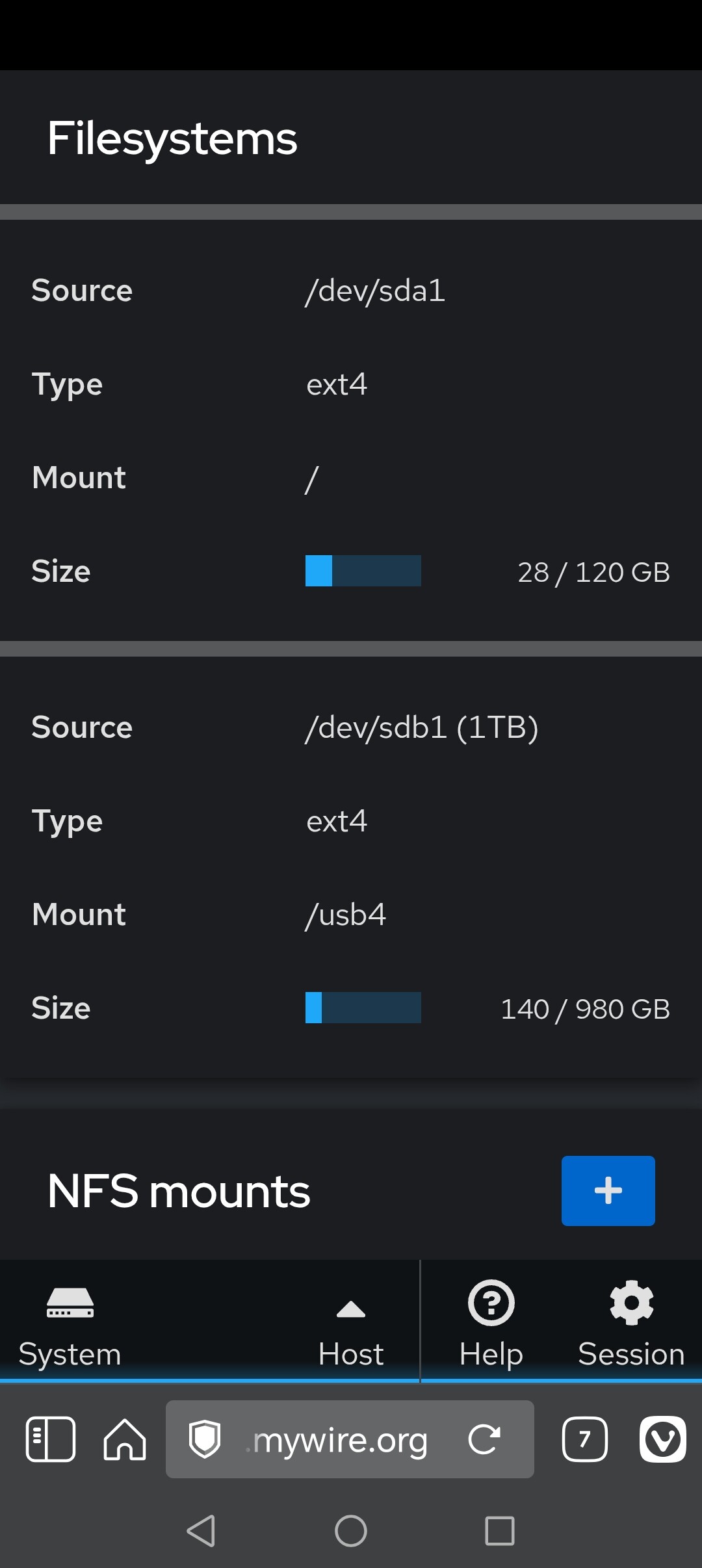
Is there enough free disk space ?
I think this is the full output Jarod.
Linux xxxx 6.1.0-49-amd64 #1 SMP PREEMPT_DYNAMIC Debian 6.1.174-1 (2026-05-26) x86_64
YNH1 - Maintained by
Neil Giliker
Web console: https:// xxxxxx
Last login: Mon Jun 8 20:06:44 2026 from 192.168.1.1
root@giliker:~# tail -30 /var/log/searxng/searxng.log
server_list()
File “/var/www/searxng/searxng-src/searx/engines/radio_browser.py”, line 67, in server_list
servers = CACHE.get(“servers”, )
^^^^^^^^^^^^^^^^^^^^^^^^
File “/var/www/searxng/searxng-src/searx/enginelib/init .py”, line 175, in get
return ENGINES_CACHE.get(key, default=default, ctx=self.table_name)
^^^^^^^^^^^^^^^^^^^^^^^^^^^^^^^^^^^^^^^^^^^^^^^^^^^^^^^^^^^^
File “/var/www/searxng/searxng-src/searx/cache.py”, line 452, in get
self.maintenance()
File “/var/www/searxng/searxng-src/searx/cache.py”, line 266, in maintenance
if not force and int(time.time()) < self.next_maintenance_time:
^^^^^^^^^^^^^^^^^^^^^^^^^^
File “/var/www/searxng/searxng-src/searx/cache.py”, line 340, in next_maintenance_time
return self.cfg.MAINTENANCE_PERIOD + self.properties.m_time(“LAST_MAINTENANCE”, int(time.time()))
^^^^^^^^^^^^^^^^^^^^^^^^^^^^^^^^^^^^^^^^^^^^^^^^^^^^^^^^^^^^
File “/var/www/searxng/searxng-src/searx/sqlitedb.py”, line 452, in m_time
res = self.DB.execute(self.SQL_M_TIME, (name,)) ^^^^^^^^^^^^^^^^^^^^^^^^^^^^^^^^^^^^^^^^^sqlite3.OperationalError: no such table: properties2026-06-08 10:27:48,405 ERROR:searx.search.processors: can’t register engine processor: radio browser (init failed)
[2026-06-08 10:27:48 +0100] [86613] [INFO] Worker exiting (pid: 86613)
[2026-06-08 10:27:49 +0100] [86395] [ERROR] Shutting down: Master
[2026-06-08 10:27:49 +0100] [86395] [ERROR] Reason: Worker failed to boot.
[2026-06-08 17:27:12 +0100] [103688] [INFO] Starting gunicorn 26.0.0
[2026-06-08 17:27:12 +0100] [103688] [ERROR] connection to /run/searxng.sock failed: [Errno 13] Permission denied: ‘/run/searxng.sock’
[2026-06-08 17:27:13 +0100] [103688] [ERROR] connection to /run/searxng.sock failed: [Errno 13] Permission denied: ‘/run/searxng.sock’
[2026-06-08 17:27:14 +0100] [103688] [ERROR] connection to /run/searxng.sock failed: [Errno 13] Permission denied: ‘/run/searxng.sock’
[2026-06-08 17:27:15 +0100] [103688] [ERROR] connection to /run/searxng.sock failed: [Errno 13] Permission denied: ‘/run/searxng.sock’
[2026-06-08 17:27:16 +0100] [103688] [ERROR] connection to /run/searxng.sock failed: [Errno 13] Permission denied: ‘/run/searxng.sock’
[2026-06-08 17:27:17 +0100] [103688] [ERROR] Can’t connect to /run/searxng.sock
root@giliker:~#
There is 92Gb free on the drive.
Are you using a different shell then bash?
otm33
June 8, 2026, 7:39pm
10
Can you share
stat /run/searxng.sock
ls -la /run/searxng.sock
tzb6js
June 8, 2026, 7:45pm
11
not that I am aware of. the disk screen is from the cockpit app.
tzb6js
June 8, 2026, 7:50pm
12
here is the output
Linux 6.1.0-49-amd64 #1 SMP PREEMPT_DYNAMIC Debian 6.1.174-1 (2026-05-26) x86_64
YNH1 - Maintained by
Neil Giliker
Web console: xxxx
Last login: Mon Jun 8 20:46:34 2026 from 192.168.1.1
root@giliker:~# stat /run/searxng.sock
File: /run/searxng.sock
Size: 0 Blocks: 0 IO Block: 4096 socket
Device: 0,23 Inode: 1968 Links: 1
Access: (0666/srw-rw-rw-) Uid: ( 0/ root) Gid: ( 0/ root)
Access: 2026-06-08 10:27:43.665806910 +0100
Modify: 2026-06-08 10:27:43.665806910 +0100
Change: 2026-06-08 10:27:43.665806910 +0100
Birth: 2026-06-08 10:27:43.665806910 +0100
root@giliker:~# ls -la /run/searxng.sock
srw-rw-rw- 1 root root 0 Jun 8 10:27 /run/searxng.sock
root@giliker:~#
otm33
June 8, 2026, 8:07pm
13
I would try removing the /run/searxng.sock and then reinstalling but not sure this is the root cause…
tzb6js
June 8, 2026, 8:18pm
14
Interestingly I tried to restore from a month old full backup that was a rock solid backup. That also failed.
tzb6js
June 8, 2026, 8:21pm
15
Otm, how would i remove the /run/serxng.sock ? I did try yunohost app remove searxng from the CLI but is says the app is not installed, which is correct.
tzb6js
June 8, 2026, 8:29pm
17
I fixed it but don’t ask me what changed… I rebooted the server again and then tried a clean install again and this time it worked.
tzb6js
June 8, 2026, 8:30pm
18
Cheers, apols for my ignorance.
tzb6js
June 8, 2026, 8:32pm
19
Just like when I worked in IT support on ICL mainframes 40 years ago…. if we were stumped we used to just tell the user to reboot their terminal… and quite often it worked.
tzb6js
June 8, 2026, 8:34pm
20
Many thanks to you both for your support. Once again it really is appreciated. YNH is a great product and this is a very effective and very capable support group.