[Kanboard] Kanban board

Hey !

After this config modified :

  • I log in on Yunohost
  • I go to the Kanboard URL
  • It asks me to log in 1 more time
  • My credentials don’t work, then I have to use captcha after many fails.

Impossible to login on Kanboard.

Now, I’ve restored a backup with version 1.2.48~ynh1, it’s ok.
Is there a way to update the current version ? I can try to update to have logs if it can help :wink:

EDIT : If it can help… I see the current config.php with the rights kanboard:kanboard , and on my previous backup it was kanboard:www-data

Hey !

I’ve just set up a new fresh install of Kanboard 1.2.57~ynh1 on another subdomain, and a white page is shown (code inside when viewing the source) too.
So I think it’s not (only) an upgrade problem ?

as i said, you have to edit the config.php. one point is hide login, thats why the you have a blank page.

Thx for your help, I’ve already tested your given solution, but I’m thinking it’s not really my case, when I see the documentation inside Yunohost, I see for example

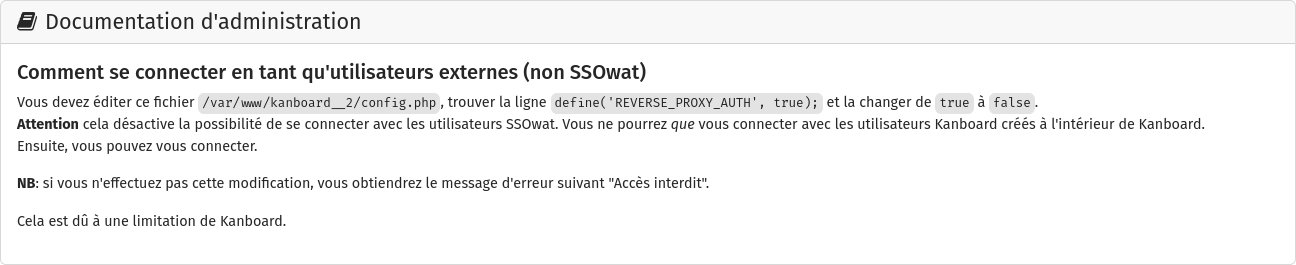
define('REVERSE_PROXY_AUTH', false);

and as I’m using the user database from Yunohost, I will not change this setting, if I don’t want to use users from the Kanboard app database itself.

define('HIDE_LOGIN_FORM', false);

- → gives the login/password form on the webpage. Ok. But, I have wrong username or password while using a user from Yunohost.

define('DISABLE_LOGOUT', false);

- → not related if I already can’t log in :wink:

My default Yunohost install update fixed with (as root) :

nano /var/www/kanboard/config.php

// Enable LDAP authentication (false by default)
define(‘LDAP_AUTH’, true);

// Hide login form, useful if all your users use Google/Github/ReverseProxy authentication
define(‘HIDE_LOGIN_FORM’, false);

Hello,

As described on the Github issue tracker, the last package version supporting SSO login (i.e. Reverse proxy authentication) is 1.2.48~ynh1.

For a temporary fix, 4 settings are at stake: LDAP_AUTH, REVERSE_PROXY_AUTH, HIDE_LOGIN_FORM, DISABLE_LOGOUT.

You probably want to set them all to true (if using SSO login) or all to false (if using the app internal user creation feature).
But given the SSO login feature is currently broken in this package, if you want to keep using YNH credentials to log then you will want to set them temporarily (until a fix comes) all to false except for LDAP_AUTH that you will set to true.

A new version of the package is coming with a fix and a config panel to switch easily from one authentication scenario to the other.

If you want to help you can test and report following instructions provided there: upgrade `1.2.48~ynh1` to `1.2.52~ynh1` failed · Issue #233 · YunoHost-Apps/kanboard_ynh · GitHub

Are you actually able to log out with your current settings? Or is the logout feature broken for you too?

logout does not work, at app intern login method, i have to outcommend this line: checkCSRFParam();

In which file(s)?

checkCSRFParam matches
root@server:/var/www/kanboard# grep -rli checkCSRFParam
app/Controller/CustomFilterController.php
app/Controller/ConfigController.php
app/Controller/ProjectStatusController.php
app/Controller/BaseController.php
app/Controller/ProjectPermissionController.php
app/Controller/TaskStatusController.php
app/Controller/UserApiAccessController.php
app/Controller/TagController.php
app/Controller/ProjectFileController.php
app/Controller/CommentController.php
app/Controller/OAuthController.php
app/Controller/TaskSuppressionController.php
app/Controller/TaskInternalLinkController.php
app/Controller/ColumnMoveRestrictionController.php
app/Controller/GroupListController.php
app/Controller/ProjectViewController.php
app/Controller/AvatarFileController.php
app/Controller/PredefinedTaskDescriptionController.php
app/Controller/AuthController.php
app/Controller/ProjectTagController.php
app/Controller/SubtaskController.php
app/Controller/ProjectRoleController.php
app/Controller/LinkController.php
app/Controller/ColumnRestrictionController.php
app/Controller/PluginController.php
app/Controller/TwoFactorController.php
app/Controller/TaskReorderController.php
app/Controller/UserViewController.php
app/Controller/ProjectRoleRestrictionController.php
app/Controller/CategoryController.php
app/Controller/TaskDuplicationController.php
app/Controller/UserCredentialController.php
app/Controller/ActionController.php
app/Controller/ColumnController.php
app/Controller/TaskFileController.php
app/Controller/UserStatusController.php
app/Controller/TaskExternalLinkController.php
app/Controller/SwimlaneController.php

Then logout works?

The PR was merged. It sets SSO login back by default (but this can be changed via config panel). Please report here if you experience issues and tell:

  1. from which version you upgraded
  2. whether as a temporary fix you have been using LDAP (Yunohost accounts’ credentials) or app’s internal user database ?
  3. what authentication mode do you plan to continue with (“SSO” or “App”, cf. config panel)?

Hmm i can logout when commenting out $this->checkCSRFParam(); in app/Controller/AuthController.php and going to URL https://mydomain.tld/kanboard/logout.
Clicking the Logout button sends to https://mydomain.tld/kanboard/logout?csrf_token={hash} and this doesn’t work.

it is due an plugin (customizer) here is the explanation: [SOLVED] Impossible to logout - #2 by alfredb - Plugins - Kanboard

I get from the link you point to that installing Customizer >=1.14.2 fixes this issue.
The issue I notice happens with a fresh Kanboard instance (v1.2.57~ynh3) without any plugin installed and with authentication mode set to “App” in the config panel. I guess we’d rather have the package and/or upstream code fixed without the need for a plugin if possible (haven’t tested with Customizer though).

I thought maybe YNH reverse proxy could have been doing something to the URL, but adding var_dump($_SERVER['REQUEST_URI']); in /var/www/kanboard/index.php shows the csrf_token, so I guess it is forwarded to the app as expected.

On a fresh instance with App auth, if the URL carries csrf_token but logout still fails, I’d check whether that token matches the one stored in the session at logout time. Commenting out checkCSRFParam bypasses exactly that validation. The Customizer fix may cover a plugin-specific token reset, but it would not explain your no-plugin case. Clearing cookies/session after changing auth mode is a quick way to rule out a stale token before filing upstream.

I think the Customizer fix was just catching up with the recent upstream changes back then. And is unrelated to the current case (although it relates to the same functions).

Deleting cookies (or testing in a private browsing windows) doesn’t help. Do you also refer to deleting the session in the databse or I don’t know where ?

So for the notice, it is actually in the reverse proxy config not passing the URL parameters. Package version 1.2.57~ynh4 will be released soon to fix this.