# \[CryptPad\] Online Office Editor
**URL:** https://forum.yunohost.org/t/cryptpad-online-office-editor/11924
**Category:** Apps
**Tags:** cryptpad
**Created:** [June 20, 2020, 6:12pm UTC](https://forum.yunohost.org/t/cryptpad-online-office-editor/11924 "2020-06-20T18:12:54Z")
**Posts on this page:** 20
**Page:** 1
### Author:  [@ericg](https://forum.yunohost.org/u/ericg)
#### Post date: [June 20, 2020, 6:12pm UTC](https://forum.yunohost.org/t/cryptpad-online-office-editor/11924/1 "2020-06-20T18:12:55Z")
# CryptPad for YunoHost
## Overview
CryptPad is a privacy-friendly alternative to popular office tools and cloud services. All content stored in CryptPad is encrypted before being sent, which means that no one can access your data unless you give them the keys.
**Shipped version:** 3.18.1
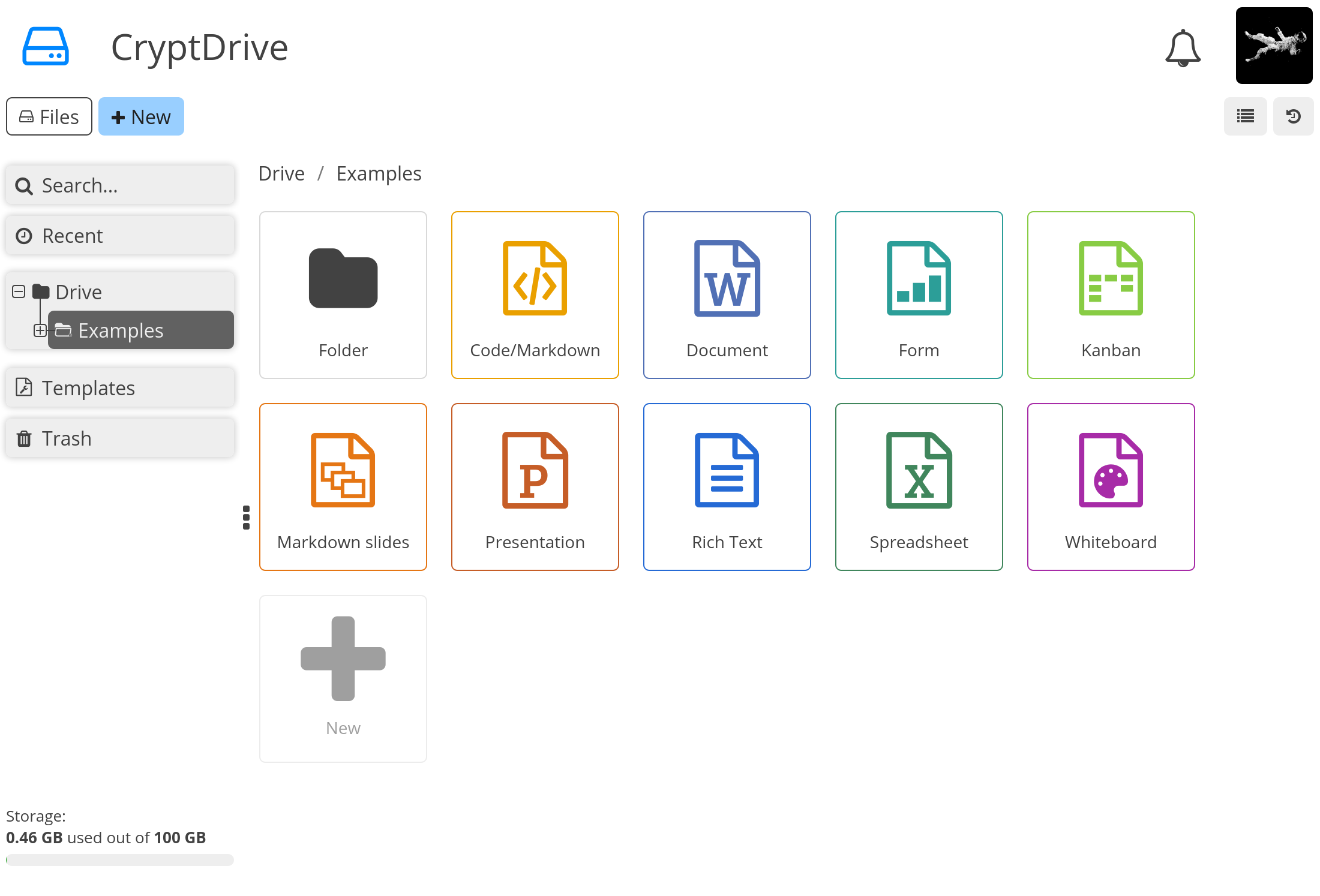
## Screenshots
## Demo
- [Official demo](https://cryptpad.fr/)
## Links
- Report a bug: [GitHub · Where software is built](https://github.com/YunoHost-Apps/cryptpad_ynh/issues)
- App website: [https://cryptpad.fr/](https://cryptpad.fr/)
- Upstream app repository: [GitHub - cryptpad/cryptpad: Collaborative office suite, end-to-end encrypted and open-source.](https://github.com/xwiki-labs/cryptpad)
- YunoHost website: [https://yunohost.org/](https://yunohost.org/)
* * *
## New testing release for CryptPad 🎉
- Shipped version: 3.18.1
```auto
sudo yunohost app install https://github.com/YunoHost-Apps/cryptpad_ynh/tree/testing --debug
ou
sudo yunohost app upgrade cryptpad -u https://github.com/YunoHost-Apps/cryptpad_ynh/tree/testing --debug
```
---
### Author:  [@frju365](https://forum.yunohost.org/u/frju365)
#### Post date: [June 20, 2020, 8:29pm UTC](https://forum.yunohost.org/t/cryptpad-online-office-editor/11924/2 "2020-06-20T20:29:56Z")
There was an already official topic I made here : [Paquet Cryptpad/Cryptpad Package](https://forum.yunohost.org/t/paquet-cryptpad-cryptpad-package/2824) It’s a bit old… but if we do a new one, it’s better to add again the introduction to the app.
---
### Author:  [@ericg](https://forum.yunohost.org/u/ericg)
#### Post date: [July 14, 2020, 12:29pm UTC](https://forum.yunohost.org/t/cryptpad-online-office-editor/11924/3 "2020-07-14T12:29:54Z")
# New testing release for CryptPad 🎉
- Shipped version: 3.19.0
```auto
sudo yunohost app install https://github.com/YunoHost-Apps/cryptpad_ynh/tree/testing --debug
ou
sudo yunohost app upgrade cryptpad -u https://github.com/YunoHost-Apps/cryptpad_ynh/tree/testing --debug
```
---
### Author:  [@ericg](https://forum.yunohost.org/u/ericg)
#### Post date: [July 18, 2020, 12:09pm UTC](https://forum.yunohost.org/t/cryptpad-online-office-editor/11924/4 "2020-07-18T12:09:32Z")
## New stable release 🥇
- [18 july 2020 - #44](https://github.com/YunoHost-Apps/cryptpad_ynh/tree/master)
- Upgrade to upstream version 3.19.1
- Fix installation
- Upgrade package scripts
## New testing release 🥈
- [18 july 2020 - #43](https://github.com/YunoHost-Apps/cryptpad_ynh/tree/testing)
- Upgrade to version 3.20
---
### Author:  [@boistordu](https://forum.yunohost.org/u/boistordu)
#### Post date: [July 20, 2020, 1:29am UTC](https://forum.yunohost.org/t/cryptpad-online-office-editor/11924/5 "2020-07-20T01:29:32Z")
It doesn’t work out of the box for now, it doesn’t recognize correctly something about path in the url
Do we need to create a dedicated subdomain for it ?
---
### Author:  [@ericg](https://forum.yunohost.org/u/ericg)
#### Post date: [July 20, 2020, 6:18am UTC](https://forum.yunohost.org/t/cryptpad-online-office-editor/11924/6 "2020-07-20T06:18:48Z")
CryptPad cannot run in a subfolder, you need a dedicated domain or sub-domain.
---
### Author:  [@boistordu](https://forum.yunohost.org/u/boistordu)
#### Post date: [July 20, 2020, 7:00am UTC](https://forum.yunohost.org/t/cryptpad-online-office-editor/11924/7 "2020-07-20T07:00:52Z")
Mmmmh okey that’s why. Thanks for the clarification
---
### Author:  [@ericg](https://forum.yunohost.org/u/ericg)
#### Post date: [September 8, 2020, 6:44pm UTC](https://forum.yunohost.org/t/cryptpad-online-office-editor/11924/8 "2020-09-08T18:44:23Z")
## New stable release 🎉
- [8 September 2020 - #48](https://github.com/YunoHost-Apps/cryptpad_ynh/pull/48)
- Upgrade to upstream version 3.21.0
---
### Author:  [@dosch](https://forum.yunohost.org/u/dosch)
#### Post date: [September 21, 2020, 11:43am UTC](https://forum.yunohost.org/t/cryptpad-online-office-editor/11924/9 "2020-09-21T11:43:01Z")
can someone help me what I should put in config.js to become admin? I can’t seem to figure it out…
```
/*
* CryptPad contains an administration panel. Its access is restricted to specific
* users using the following list.
* To give access to the admin panel to a user account, just add their user id,
* which can be found on the settings page for registered users.
* Entries should be strings separated by a comma.
*/
/*
```
```auto
adminKeys: [
//"https://my.awesome.website/user/#/1/cryptpad-user1/YZgXQxKR0Rcb6r6CmxHPdAGLVludrAF2lEnkbx1vVOo=",
],
```
- Should I keep the two leading forward-dashes?
- do I replace `cryptpad-user1` with the my username?
- or do I only replace the crypto-code?
- is a cryptpad-service restart in YNH enough to load the updated config.js?
- are extra admin added áfter the comma, but before the `]`?
So many variables… Thnx for help!
---
### Author:  [@ericg](https://forum.yunohost.org/u/ericg)
#### Post date: [September 21, 2020, 12:59pm UTC](https://forum.yunohost.org/t/cryptpad-online-office-editor/11924/10 "2020-09-21T12:59:29Z")
Hello @dosch
here are some answers:
> Should I keep the two leading forward-dashes?
No
> do I replace cryptpad-user1 with the my username?
> or do I only replace the crypto-code?
The crypto-code is the full address between the quotes
> is a cryptpad-service restart in YNH enough to load the updated config.js?
Yes
> are extra admin added áfter the comma, but before the ]?
Yes
---
### Author:  [@dosch](https://forum.yunohost.org/u/dosch)
#### Post date: [September 21, 2020, 1:29pm UTC](https://forum.yunohost.org/t/cryptpad-online-office-editor/11924/11 "2020-09-21T13:29:06Z")
thnx @ericg.
I ditched the dashes, restarted the service and obeyed the commas.
But the crypto-code/full address I get from the settings in cryptpad is formatted as:
`[emailadres@emailadres/r4nD0ms7rY|\|g=]`
while the cryptocode in config.json is formatted as
`"https://my.awesome.website/user/#/1/cryptpad-user1/r4nD0ms7rY|\|g=",`
So I am still somewhat at a loss which part I have to replace with the code from my personal settings page. What is the magic combination of _the full address_ that should go between the quotes?
---
### Author:  [@ericg](https://forum.yunohost.org/u/ericg)
#### Post date: [September 21, 2020, 3:04pm UTC](https://forum.yunohost.org/t/cryptpad-online-office-editor/11924/12 "2020-09-21T15:04:02Z")
> [emailadres@emailadres/r4nD0ms7rY||g=]
mmh … that doesn’t look like the expected key …
To find your public key:
Go to your **account** (top right) \> **Profil** \> **VIEW MY PROFIL** \> **COPY PUBLIC KEY**
---
### Author:  [@dosch](https://forum.yunohost.org/u/dosch)
#### Post date: [September 21, 2020, 3:37pm UTC](https://forum.yunohost.org/t/cryptpad-online-office-editor/11924/13 "2020-09-21T15:37:36Z")
I have no idea anymore what I am doing wrong.
1. I took the key from the place you told me (indeed, a different format)
2. pasted it in between the brackets.
```auto
/*
adminKeys: [
"https://docs.domain.tld/admin/user/#/1/dosch/FtgvqJaUafewirkhqhRKCNPHsO3KgHICzcVqCQc4=",
]
*/
```
1. restarted the Cryptpad service in YNH
2. open [https://docs.domain.tld/admin/](https://docs.domain.tld/admin/) and get an error: `Only administrators can access this page`
---
### Author:  [@ericg](https://forum.yunohost.org/u/ericg)
#### Post date: [September 21, 2020, 4:30pm UTC](https://forum.yunohost.org/t/cryptpad-online-office-editor/11924/14 "2020-09-21T16:30:03Z")
Just to be sure. Have you removed `/*` and `*/` which surrounds the adminKeys variable
```
/*
adminKeys: [
"https://docs.domain.tld/admin/user/#/1/dosch/FtgvqJaUafewirkhqhRKCNPHsO3KgHICzcVqCQc4=",
]
*/
adminKeys: [
"https://docs.domain.tld/admin/user/#/1/dosch/FtgvqJaUafewirkhqhRKCNPHsO3KgHICzcVqCQc4=",
],
```
and leave the comma at the end after ]…
---
### Author:  [@dosch](https://forum.yunohost.org/u/dosch)
#### Post date: [September 21, 2020, 5:19pm UTC](https://forum.yunohost.org/t/cryptpad-online-office-editor/11924/15 "2020-09-21T17:19:05Z")
I had not… 😔
thank you for your patience. It now works.
ps. if the [@moderators](https://forum.yunohost.org/groups/moderators) can move (or delete) my issues here, I think it would be a good idea. It clutters the topic and it painfully shows my ignorance 😊
---
### Author:  [@ericg](https://forum.yunohost.org/u/ericg)
#### Post date: [January 24, 2021, 7:59pm UTC](https://forum.yunohost.org/t/cryptpad-online-office-editor/11924/16 "2021-01-24T19:59:14Z")
New stable release 🎉
- 24 january 2021 [#62](https://github.com/YunoHost-Apps/cryptpad_ynh/pull/62)
- Upgrade to upstream version 4.0.0
- Upgrade to NodeJS 14
- Fix admin email in config file
More on CryptPad 4.0.0: [Open Source Google Docs Alternative CryptPad 4.0 Releases With New Look and New Features - It's FOSS News](https://news.itsfoss.com/cryptpad-4-release/)
---
### Author:  [@ppr](https://forum.yunohost.org/u/ppr)
#### Post date: [January 26, 2021, 3:12pm UTC](https://forum.yunohost.org/t/cryptpad-online-office-editor/11924/17 "2021-01-26T15:12:24Z")
Hi,
I’ve upgraded from the last 3.x stable version (fresh install) on my Raspberry Pi 3 B to this last update without any trouble.
Just have to be a little bit patient regarding the machine … but it works 😉
ppr
---
### Author:  [@ericg](https://forum.yunohost.org/u/ericg)
#### Post date: [February 10, 2021, 6:00pm UTC](https://forum.yunohost.org/t/cryptpad-online-office-editor/11924/18 "2021-02-10T18:00:27Z")
New stable release 🎉
- 10 february 2021 [#67](https://github.com/YunoHost-Apps/cryptpad_ynh/pull/67)
- Upgrade to upstream version 4.1.0
- Dark mode 🕶
---
### Author:  [@Guwom](https://forum.yunohost.org/u/Guwom)
#### Post date: [February 13, 2023, 1:25pm UTC](https://forum.yunohost.org/t/cryptpad-online-office-editor/11924/19 "2023-02-13T13:25:24Z")
New release 🎉
- sandbox domain is created at install, admins needs to take care of DNS and Certificates after install
- upgrade to upstream version 5.2.1
---
### Author:  [@webmink](https://forum.yunohost.org/u/webmink)
#### Post date: [February 13, 2023, 8:47pm UTC](https://forum.yunohost.org/t/cryptpad-online-office-editor/11924/20 "2023-02-13T20:47:42Z")
Thanks for the ongoing work, it is appreciated.
This admin has no idea how to respond to the changes involved in adding a sandbox domain on Yunohost, and I see no config for it it the Yunohost Applications page for Cryptpad. Are there instructions please? I have tried hacking as foillows:
I see you have added a “sandbox-(domain-name)” subdomain in YunoHost domains, so I have added an extra CNAME to my DNS and I have added a Lets Encrypt certificate to the new domain. I’ve then restarted the service. Accessing the app just gives me the initial pre-load splash-screen with “Loading”.
Log says:
> Feb 13 21:11:49 systemd[1]: Started Zero Knowledge realtime collaborative editor…
> Feb 13 21:11:50 npm[1154926]: \> cryptpad@5.2.1 start
> Feb 13 21:11:50 npm[1154926]: \> node server.js
> Feb 13 21:11:51 npm[1154996]: Serving content for https://(domain)/ via http://[::]:3001.
> Feb 13 21:11:51 npm[1154996]: Your instance is not correctly configured for safe use in production.
> Feb 13 21:11:51 npm[1154996]: See https://(domain)/checkup/ for more information.
Visiting (domain)/checkup gives an error message:
> # Oops!
>
> It’s possible that this server’s administrators forgot to install its client-side dependencies with ‘bower update’, or that some other required resource couldn’t be loaded. See your browser’s console for more details.
>
> Failed to load `https://(domain)/api/config?cb=1864c9c3419`.
```auto
```
[Next page](https://forum.yunohost.org/t/cryptpad-online-office-editor/11924.md?page=2)