# Cannot raise network again? But this time the fix from last won't work
**URL:** https://forum.yunohost.org/t/cannot-raise-network-again-but-this-time-the-fix-from-last-wont-work/20807
**Category:** Support
**Tags:** english
**Created:** [August 20, 2022, 7:41pm UTC](https://forum.yunohost.org/t/cannot-raise-network-again-but-this-time-the-fix-from-last-wont-work/20807 "2022-08-20T19:41:08Z")
**Posts on this page:** 3
**Page:** 1
### Author:  [@someonesusername](https://forum.yunohost.org/u/someonesusername)
#### Post date: [August 20, 2022, 7:41pm UTC](https://forum.yunohost.org/t/cannot-raise-network-again-but-this-time-the-fix-from-last-wont-work/20807/1 "2022-08-20T19:41:08Z")
**Hardware:** AMD64
**YunoHost version:** 11.x.x (but cannot check right now)
**I have access to my server :** Not via network only physical with a keyboard and screen attached.
**Are you in a special context or did you perform some particular tweaking on your YunoHost instance ?** : yes
**If yes, please explain:** it’s behind a VPN exactly like: [Homemade WireGuard VPN on a VPS server](https://forum.yunohost.org/t/homemade-wireguard-vpn-on-a-vps-server/15662)by @rungeard
**Description** :
Again I have the issue that the network is not able to raise, it happened after I rebooted the system.
Here are some pictures of the errors (Sorry but, I cannot grab the logs without a network connection);
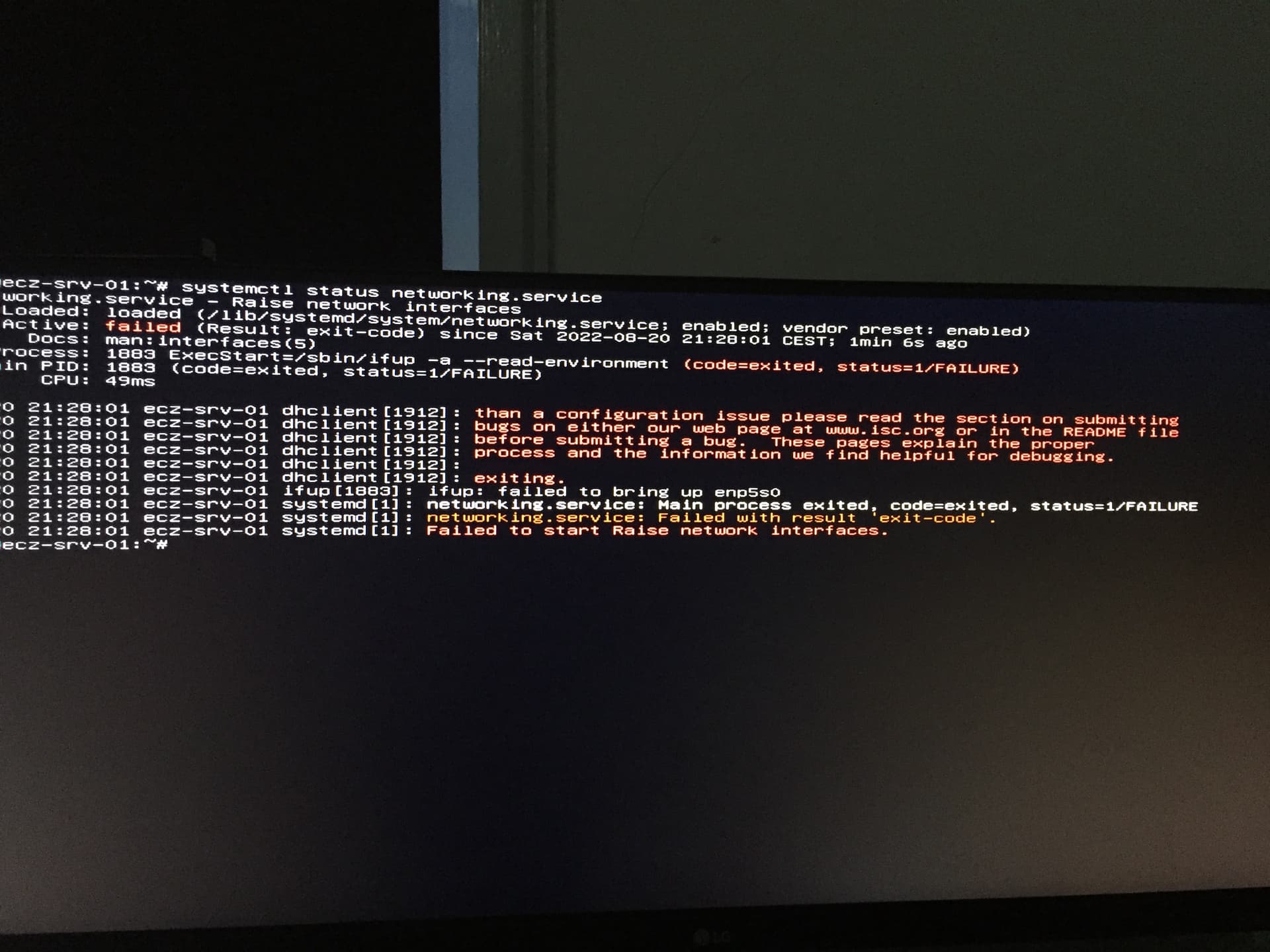
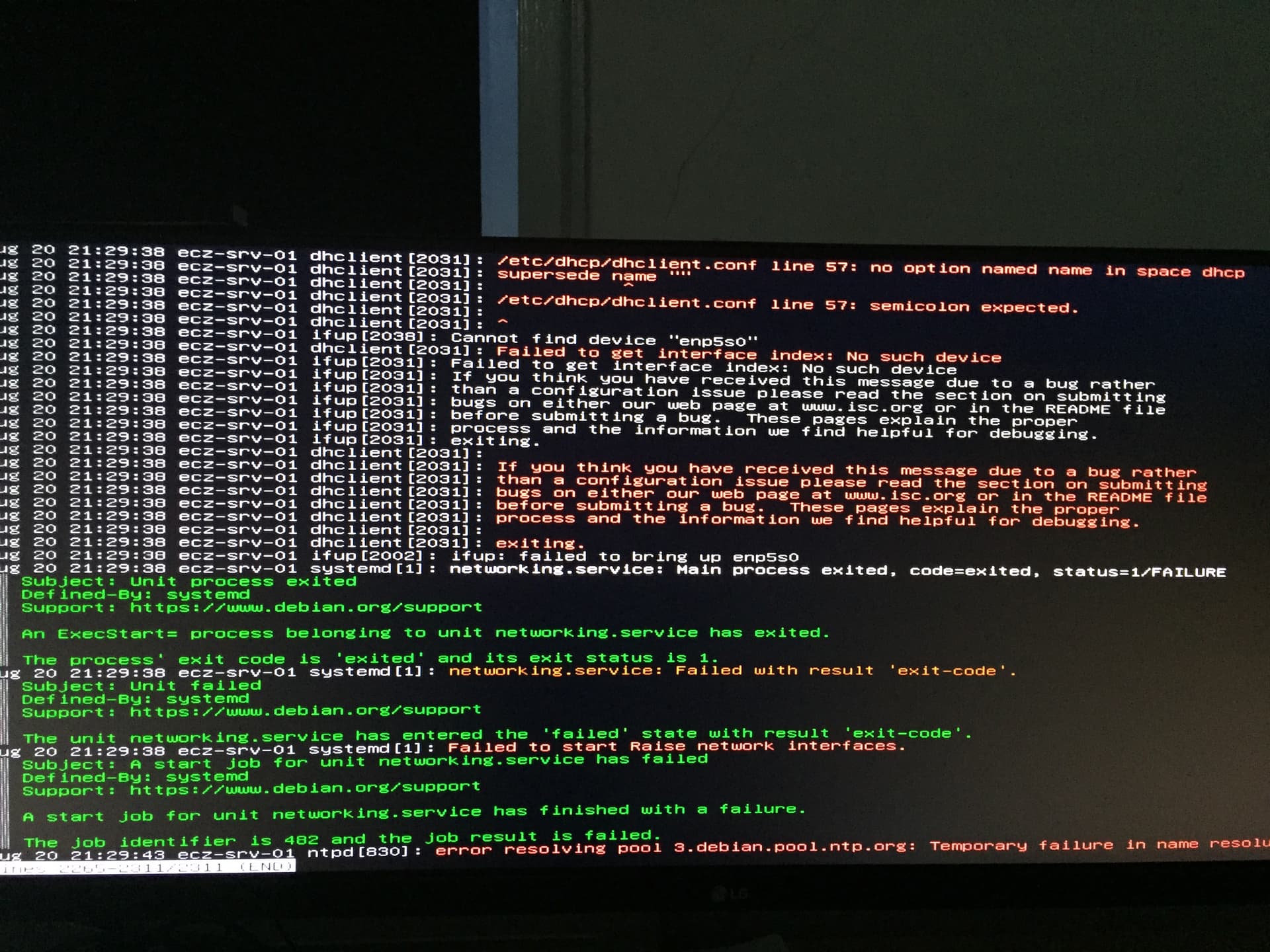
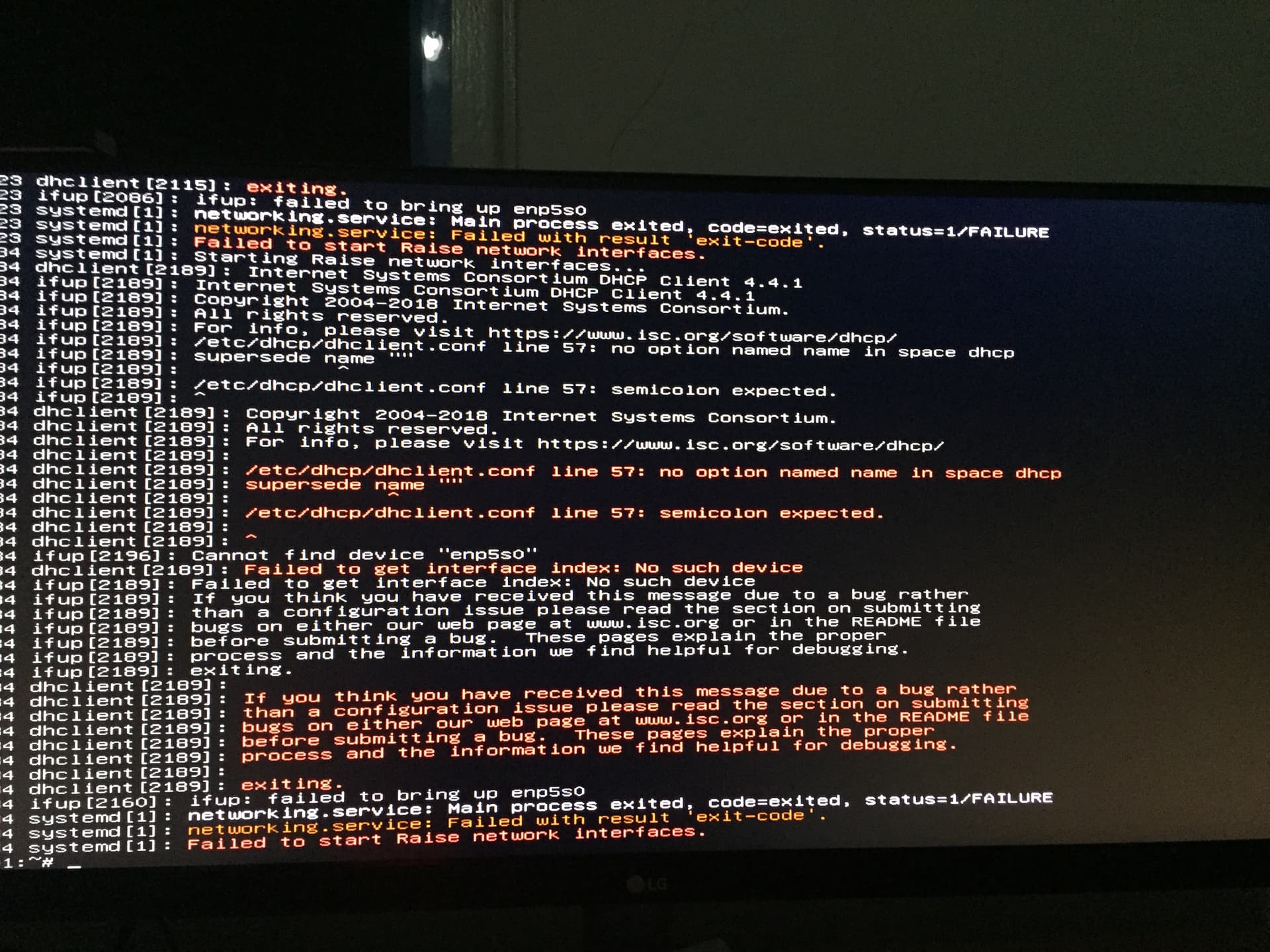
If any log is missing please tell me, and I’ll add it, I might have made a mix-up with the pictures.
I tried to use the commands from the earlier topic since it is similar to [Cannot raise network after failed drive?!](https://forum.yunohost.org/t/cannot-raise-network-after-failed-drive/20554). But they did not fix the issue this time.
Thanks for the help!
Edit; meanwhile I’m thinking of uninstall the VPN configuration and revert it all back to default, since I don’t really have a use case for a VPN anymore. It is also maybe the cause of the issues?
Re-installing YH and restore a backup is not possible, since I get all sorts of garbage issue on my screen if I boot from an installer medium… I see the colors of the installer, but text is garbage.
Or can i maybe just first install Debian and then use the VPS installer method `curl https://install.yunohost.org | bash`?
---
### Author:  [@someonesusername](https://forum.yunohost.org/u/someonesusername)
#### Post date: [August 21, 2022, 7:40pm UTC](https://forum.yunohost.org/t/cannot-raise-network-again-but-this-time-the-fix-from-last-wont-work/20807/2 "2022-08-21T19:40:21Z")
The solution came private.
> [@On another topic](https://forum.yunohost.org/t/18699/295):
>
> I don’t understand why ip command give you an interface named eth0 and the interfaces file use enp6s0. Try to change enp6s0 to eth0 in the interfaces file and restart the server
Hm, I oversaw this one!
---
### Author:  [@system](https://forum.yunohost.org/u/system)
#### Post date: [September 20, 2022, 7:41pm UTC](https://forum.yunohost.org/t/cannot-raise-network-again-but-this-time-the-fix-from-last-wont-work/20807/3 "2022-09-20T19:41:18Z")
This topic was automatically closed 30 days after the last reply. New replies are no longer allowed.